


Most small businesses discover expense problems during month-end close. By then, you're looking at 30 days of accumulated damage. A contractor billing issue that started on day three? You catch it on day 31. Marketing overspend that kicked off with a campaign launch? Discovered when reconciling credit card statements weeks later.
The gap between when problems start and when they get discovered kills profitability. Not because the problems themselves are massive—usually they're small operational hiccups—but because they compound over time without anyone noticing.
I've built expense tracking systems for businesses ranging from 15-person marketing agencies to 200-employee logistics companies. The pattern is clear: companies that monitor expense KPIs in real-time catch problems while they're still $500 fixes, not $5,000 disasters.
The Four KPIs That Actually Matter
Forget tracking 47 different metrics. Small businesses need four core expense KPIs that signal operational health. Each one catches a different type of problem before it spirals.
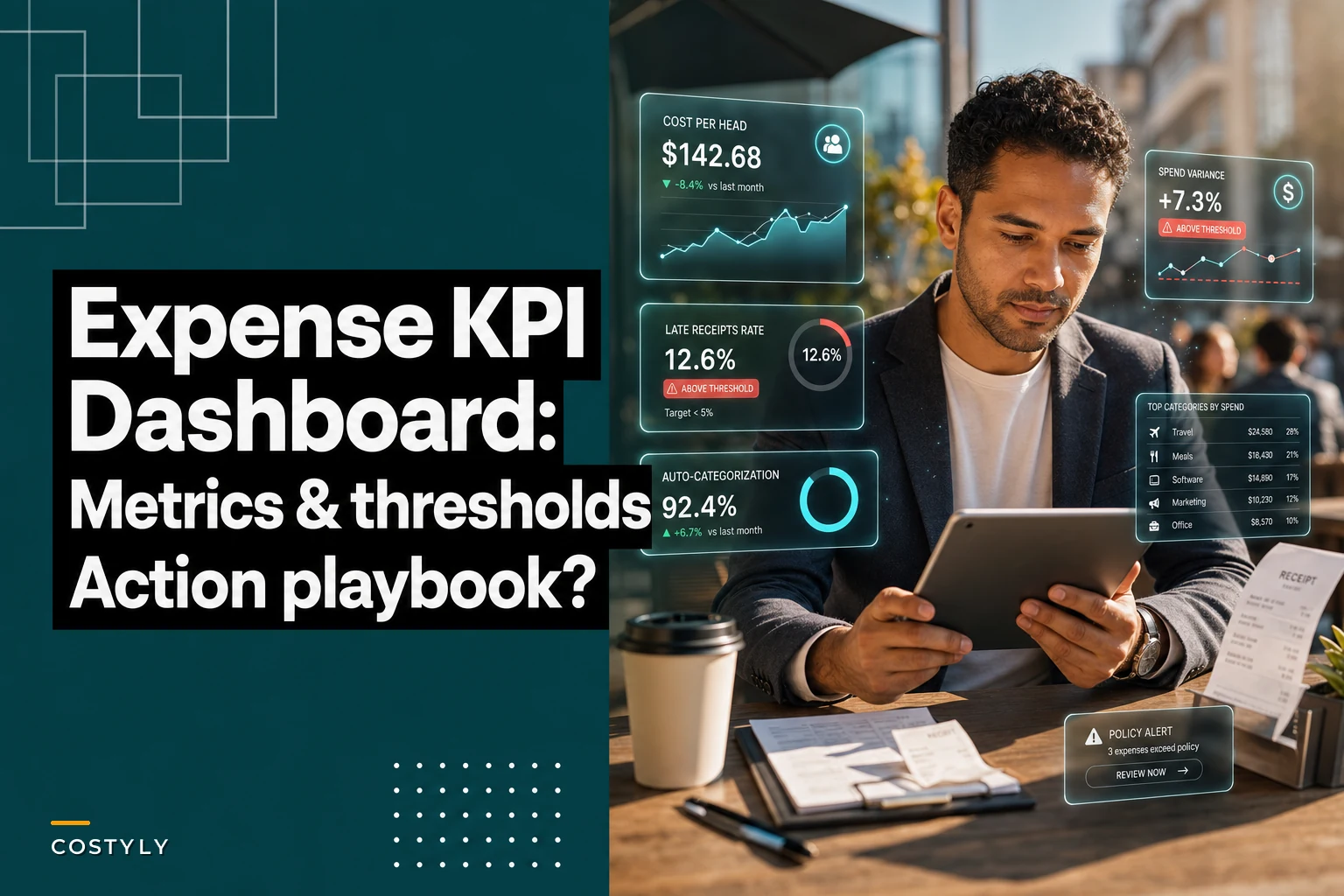
Cost per head tells you if spending is scaling with your team. A digital agency with 12 employees averaging $1,800 per person monthly in operational expenses suddenly jumps to $2,400? That's either a new subscription everyone forgot about or someone accidentally upgraded to enterprise pricing.
Spend variance catches unexpected changes before they become patterns. Your normal office supplies run $800-1,200 monthly. This month hits $2,100. Without variance tracking, you find out during quarterly review that someone's been ordering premium coffee pods for three months straight.
Late receipts rate measures process compliance, not just documentation. When receipts start coming in late, it usually means field teams are too busy, expense processes are breaking down, or people are avoiding submitting questionable purchases. A construction company running 15% late receipts suddenly spiking to 40% often signals project management issues, not paperwork problems.
Auto-category rate shows how well your expense system understands your business. Below 80% auto-categorization means someone's manually sorting receipts for hours every week. More importantly, it means you're probably miscategorizing expenses and making decisions on bad data.
Setting Thresholds That Trigger Action
Generic benchmarks don't work. A software startup and a plumbing business have completely different expense profiles. The method for setting thresholds stays consistent though.
Stop losing track of your business spending.
Costyly helps you record, monitor & control expenses—accurately and efficiently.
- Automated expense categorization
- Real-time budget tracking
- Detailed financial reports
No credit card required
Start with your three-month average as baseline. Take cost per head—if you're averaging $1,200 per employee over the last quarter, your warning threshold sits at $1,380 (15% above baseline) and critical threshold at $1,500 (25% above).
What works across different business types:
Professional services (consultancies, agencies, law firms):
-
Cost per head
Warning at +15%, Critical at +25%
-
Spend variance
Warning at 20% deviation, Critical at 35%
-
Late receipts
Warning at 20%, Critical at 35%
-
Auto-category rate
Warning below 85%, Critical below 70%
Field services (construction, HVAC, landscaping):
-
Cost per head
Warning at +20%, Critical at +35%
-
Spend variance
Warning at 30% deviation, Critical at 50%
-
Late receipts
Warning at 30%, Critical at 45%
-
Auto-category rate
Warning below 75%, Critical below 60%
Retail and hospitality:
-
Cost per head
Warning at +10%, Critical at +20%
-
Spend variance
Warning at 15% deviation, Critical at 25%
-
Late receipts
Warning at 15%, Critical at 30%
-
Auto-category rate
Warning below 90%, Critical below 75%
Retail operates on tighter margins, so smaller thresholds. Field services deal with more variable costs, so wider bands prevent false alarms.
Your Alert Response Playbook
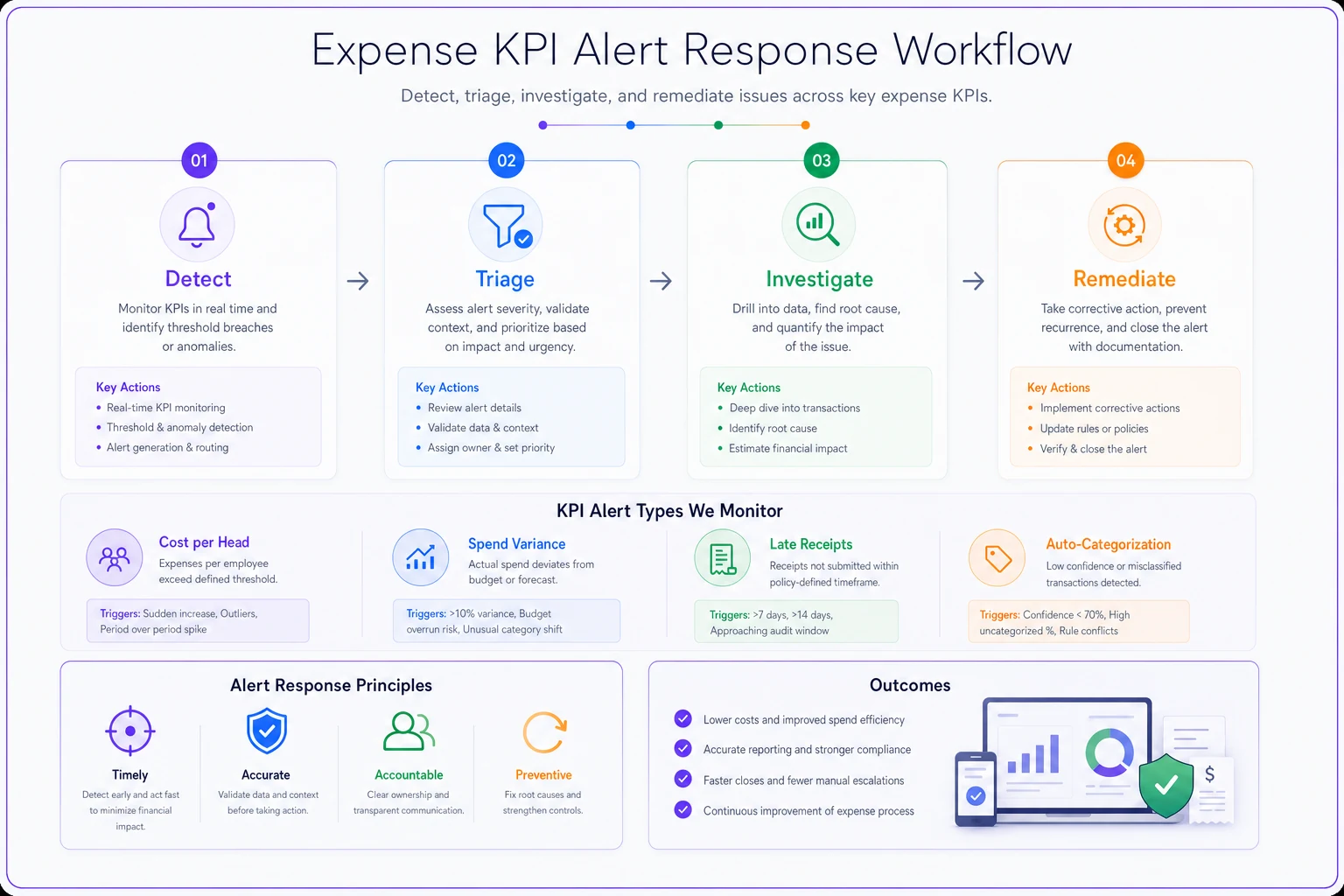
Alerts without action plans just create notification fatigue. Each KPI threshold needs a specific response protocol.
A visual workflow helps teams follow the playbook quickly.
When Cost Per Head Spikes
Warning threshold hit (+15%)
First, pull the last seven days of expenses sorted by amount. Usually, you'll spot the culprit immediately—a new software subscription, equipment purchase, or one-time fee that wasn't planned.
Check three things:
-
New recurring charges that appeared this period
-
Duplicate subscriptions (happens constantly with project management tools)
-
Team members who significantly exceeded normal spending
If it's a one-time spike, document it and move on. Recurring charges need immediate investigation.
Critical threshold hit (+25%)
Stop and audit. Pull every expense over $200 from the past two weeks.
Create a simple table:
| Expense | Expected? | Approved by | Recurring? | Action needed |
|---|---|---|---|---|
| Adobe suite x5 | No | Self-approved | Yes | Review licenses |
| AWS overage | No | IT approved | Variable | Set spending limits |
| Office furniture | Yes | CEO approved | No | None |
Contact every department head within 24 hours. Not next week, not after the weekend. The longer unexpected costs run, the harder they become to reverse.
When Spend Variance Goes Wild
Warning threshold hit (20-30% deviation depending on business type)
Variance usually comes from timing issues or category confusion. Someone bought three months of supplies at once, or marketing moved their ad spend timing.
Quick check sequence:
-
Compare to the same period last year (seasonality matters)
-
Look for purchases that usually happen in other months
-
Check if any regular expenses are missing (sometimes variance means underspending)
A landscaping company hitting variance warnings every March isn't a problem—that's when they stock up for the season. But hitting it in November needs investigation.
Critical threshold hit (35-50% deviation)
Something fundamental changed in your operations. Either intentionally (new project, expansion, equipment failure) or accidentally (billing error, fraud, process breakdown).
Response protocol:
-
Freeze all discretionary spending for 48 hours
-
Require secondary approval for any expense over $100
-
Run a line-by-line comparison against the previous month
-
Check credit card statements for unauthorized charges
Real example: A small manufacturing shop saw 45% variance in one month. Turned out their raw material supplier had switched from NET 30 to immediate billing without proper notification. They were essentially paying for two months of materials in one period.
When Receipt Submission Breaks Down
Warning threshold hit (20-30% late receipts)
Late receipts typically mean your team is overwhelmed or your process is too complicated.
Start with the repeat offenders. Pull a report showing who's submitting late. If it's the same three people, you have a training issue. If it's everyone, you have a process issue.
Common fixes that work:
-
Set up mobile expense capture (photo and done)
-
Create dedicated expense submission time Friday afternoons
-
Implement a "no receipt, no reimbursement" policy with a grace period
One logistics company reduced late receipts from 38% to 12% by simply sending automated Monday morning reminders to submit weekend receipts.
Critical threshold hit (35-45% late receipts)
Your expense process has effectively failed. This isn't about gentle reminders anymore.
Immediate actions:
-
Mandate all receipts submitted within 3 business days
-
Hold reimbursements for chronically late submitters
-
Assign an admin 2 hours weekly to chase down receipts
-
Consider if your expense policy is too complex
Sometimes high late-receipt rates reveal bigger problems. A marketing agency discovered their 50% late receipt rate stemmed from employees paying for client expenses personally because the corporate card approval process took too long.
When Auto-Categorization Fails
Warning threshold hit (below 75-85%)
Your categories probably don't match how your business actually operates. Classic sign: everything ends up in "Other" or "Miscellaneous."
Audit your top 20 uncategorized expenses. You'll usually find patterns:
-
New vendor types you haven't encountered before
-
Expenses that could fit multiple categories
-
International transactions confusing the system
Fix the category structure before training the system. If humans can't quickly categorize an expense, neither can software.
Critical threshold hit (below 60-75%)
Three-step recovery:
-
Simplify categories (10-15 maximum for most small businesses)
-
Create clear category rules (SaaS always goes in "Software," never "Operations")
-
Batch-review and correct the last 30 days of transactions
Manual categorization is eating hours weekly and your financial data is probably wrong.
Turning Metrics into Monthly Improvements
A dashboard without review rhythm is just expensive decoration. A monthly operational review takes 45 minutes but catches thousands in waste.
First Monday of each month:
Morning review (15 minutes):
-
Check all four KPIs against thresholds
-
Flag any warnings or critical alerts
-
Note trending direction (improving or degrading)
Deep dive (30 minutes):
-
Review top 10 expenses by amount
-
Check for duplicate subscriptions
-
Verify all recurring charges still needed
-
Spot-check 10 random receipts for categorization accuracy
Output: Three actions to reduce costs or fix processes
Mid-month check (5 minutes on the 15th):
-
Quick KPI threshold check
-
Verify any fixes from month-start are working
Put the 45-minute review on a recurring calendar event so it actually happens.
This rhythm seems simple because it is. The agencies and service businesses that successfully control expenses don't have complex systems. They have simple systems they actually use.
Building This Without Burning Hours
Manual KPI tracking burns time you don't have. Pulling numbers from QuickBooks, calculating variances in Excel, checking receipt submission rates—it's valuable work that nobody has bandwidth to do consistently.
Modern expense management platforms handle this automatically. They'll track cost per head as you add or remove employees, calculate spend variance against your baseline, flag late receipts in real-time, and use AI to auto-categorize with increasing accuracy.
The setup work—defining categories, setting thresholds, creating your alert rules—takes maybe two hours. After that, you're monitoring expense health in real-time instead of discovering problems at month-end.
Whether you build it manually or use operational software with AI automation, the key is consistent monitoring. Small businesses that review these four KPIs monthly catch problems while they're still fixable. Those that wait until quarter-end or year-end usually find themselves explaining why margins disappeared.
The Compound Effect of Early Detection
A digital agency started monitoring these KPIs after their expenses grew 40% year-over-year with only 15% revenue growth. Their first month revealed:
-
Three duplicate project management subscriptions ($340/month)
-
A contractor billing for 25% more hours than logged ($2,800/month)
-
Marketing tools nobody had used in six months ($520/month)
Total monthly save: roughly $3,600. Annual impact: $43,000.
But the real value wasn't the immediate saves. It was catching the contractor billing issue in month one instead of month six. Had that run uncaught, it would have cost them around $17,000 in incorrect charges.
The businesses that thrive don't have perfect expense management. They have early warning systems that catch small problems before they compound into big ones. These four KPIs, with clear thresholds and response playbooks, create that early warning system.
Your expense problems are hiding in plain sight. The question is whether you'll catch them this week or discover them next quarter when the damage is already done.
Ready to master your business expenses?
Join 5,000+ businesses using Costyly to save time, reduce overspending, and improve financial visibility.