

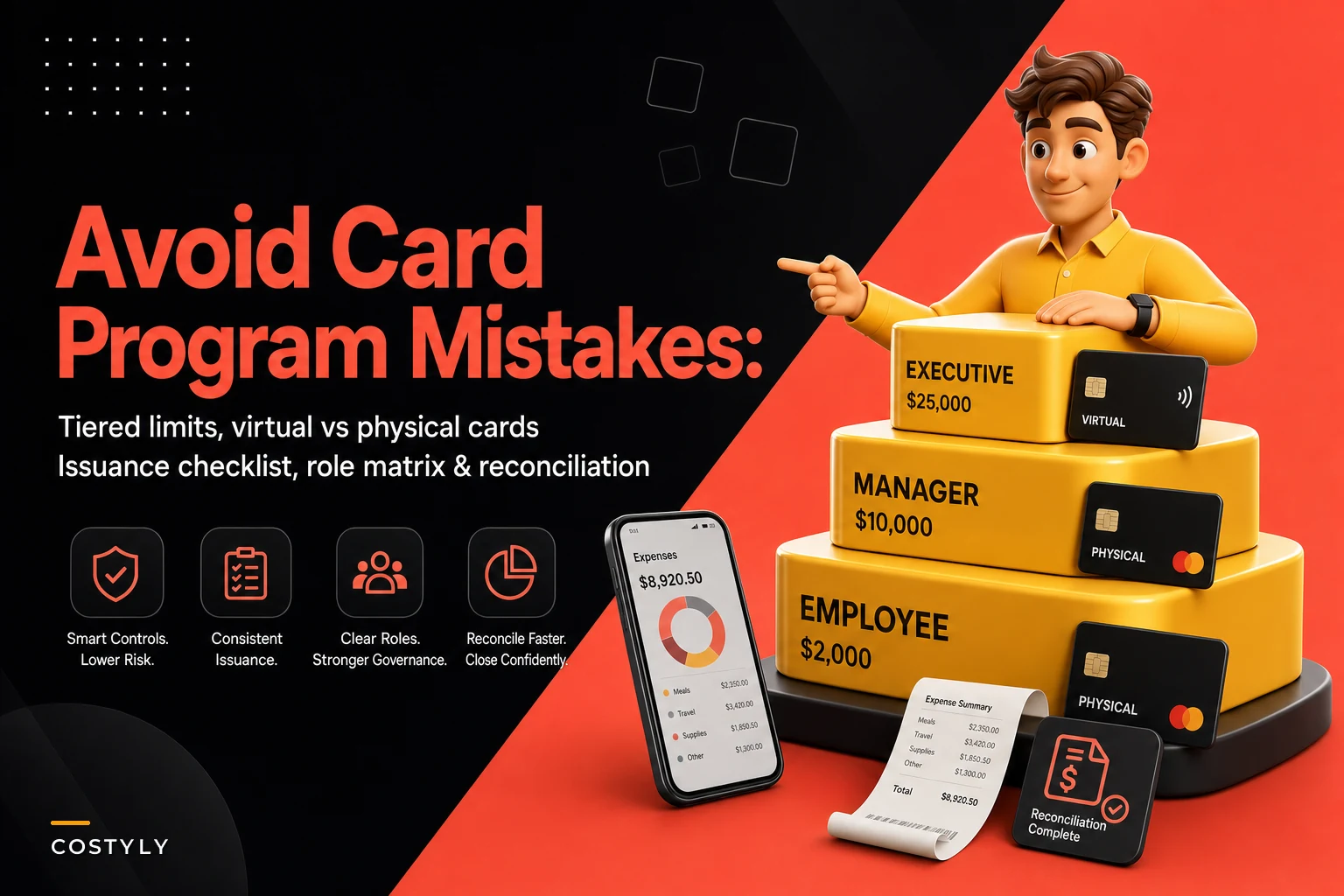

Most company card messes don't start with fraud or a rogue employee. They start with a well-meaning founder handing out cards with the same $5,000 limit to everyone, then realizing three months later that the office manager, the marketing lead, and the new sales rep all have identical spending power over completely different things.
That's the real failure mode. Not "someone stole money." More like "nobody could explain why the shop foreman had a card that could book $4k in Facebook ads."
This post is a working template for a company card program small business owners can actually run — tier definitions, virtual vs physical decisions, an issuance checklist, a delegation matrix so managers can hand out cards without you being the bottleneck, and reconciliation rules that change depending on the tier. Everything below is built to be copied and adjusted, not admired.
Why flat card programs quietly fall apart
When every card has the same limit and the same category access, you lose the two things that make card programs safe: proportionality and traceability.
Proportionality means the limit matches the job. A field tech buying parts doesn't need the same ceiling as the person running paid acquisition. Traceability means you can look at a charge and know, within seconds, who should have made it and against which budget.
Flat programs break both. In practice, this usually surfaces around month four, when the business has grown from 6 to maybe 15 people and the founder is still the only one who can raise a limit or kill a card. Every card question routes through one inbox. Managers can't move fast, so they start sharing cards — and that's where reconciliation nightmares actually begin.
The businesses that struggle most with cards are almost never the ones with too little control. They're the ones with one control level applied to everyone.
The tier model: four tiers is usually enough
You don't need a 9-tier corporate matrix. For most small businesses under 40 people, four tiers cover almost everything. The trick is defining tiers by purpose and risk, not by seniority.
Stop losing track of your business spending.
Costyly helps you record, monitor & control expenses—accurately and efficiently.
- Automated expense categorization
- Real-time budget tracking
- Detailed financial reports
No credit card required
| Tier | Typical holder | Card type | Per-transaction limit | Monthly limit | Category lock | Approval before spend |
|---|---|---|---|---|---|---|
| T1 – Operational | Field techs, shop staff, junior ops | Physical | $250–$500 | $1,500–$2,000 | Hard-locked to 2–3 categories | No (post-review only) |
| T2 – Departmental | Team leads, office manager | Physical + virtual | $1,000–$1,500 | $5,000–$8,000 | Locked to department categories | Only above per-txn limit |
| T3 – Vendor/Subscription | Marketing, tools owner | Virtual (per-vendor) | Set to vendor's expected amount | Matches contract | Locked to single merchant where possible | Yes, at issuance |
| T4 – Executive | Owner, GM, finance lead | Physical + virtual | $5,000+ | $15,000+ | Broad | No |
The category lock column does most of the safety work here. A T1 card locked to fuel and hardware stores can have a $500 limit and still be nearly impossible to misuse. Meanwhile a T4 card with a $15k limit and broad access is the one that actually needs human eyes on it every cycle.
Worth calling out specifically: T3 is the tier most businesses skip and later regret. Vendor and subscription spend loves to sneak onto someone's departmental card, which is exactly how subscription creep starts and how you end up paying for a tool nobody remembers approving.
Virtual vs physical: stop defaulting to plastic
The default instinct is a physical card for everyone. That's the wrong call for a chunk of your spend.
-
Use physical cards when the buyer is out in the world — buying parts, fuel, materials, meals with clients, anything at a physical point of sale. T1 and most T2 holders need one.
-
Use virtual cards when the spend is predictable and merchant-specific — software subscriptions, ad platforms, recurring vendors, one-off online purchases. Every T3 relationship should ideally get its own virtual card locked to that single merchant.
-
Use single-use virtual cards for anything that smells risky
a new vendor you haven't worked with, a trial you're not sure you'll keep, a large one-time online purchase.
A per-vendor virtual card turns reconciliation from detective work into matching. If the "Adobe" virtual card shows a charge that isn't Adobe, something is wrong — you don't have to investigate, you already know. Compare that to a shared physical card where six different SaaS charges land and you're squinting at descriptors trying to remember what "DNH*PROCESS" was.
One agency with about 20 people moved its 11 recurring software vendors onto individual virtual cards. Reconciliation for that whole bucket dropped from "an afternoon of guessing" to a few minutes, because every card only ever had one legitimate merchant. When a duplicate charge hit one of them, it was obvious the same day instead of at month-end.
The issuance checklist (run this every single time)
Once you delegate card issuance, you need a checklist short enough that managers actually use it. If it takes more than a screen to read, they'll skip it.
-
- [ ] Confirm the tier — which of T1–T4, and does the role actually justify it?
-
- [ ] Assign the budget owner — every card maps to one budget line and one human who owns that line
-
- [ ] Set the per-transaction and monthly limits from the tier table (don't freehand these)
-
- [ ] Apply category locks for T1–T3; document why any exception exists
-
- [ ] Choose card type — physical, virtual, or single-use, based on the spend pattern
-
- [ ] Record the "expected use" in one sentence — "fuel and parts for the north route" — so reconciliation has a reference
-
- [ ] Set a review cadence based on tier (see reconciliation rules below)
-
- [ ] Log the issuance — who issued it, to whom, when, and approved by whom
That "expected use in one sentence" step is the one people consistently skip and the one that saves the most time later. When a charge looks off, the first question is always "was this card even supposed to be used for that?" — and if you wrote it down at issuance, you already have the answer.
Write the expected use in one sentence at issuance so reconciliation has an immediate reference.
Here's a simple visual workflow for the checklist in practice.
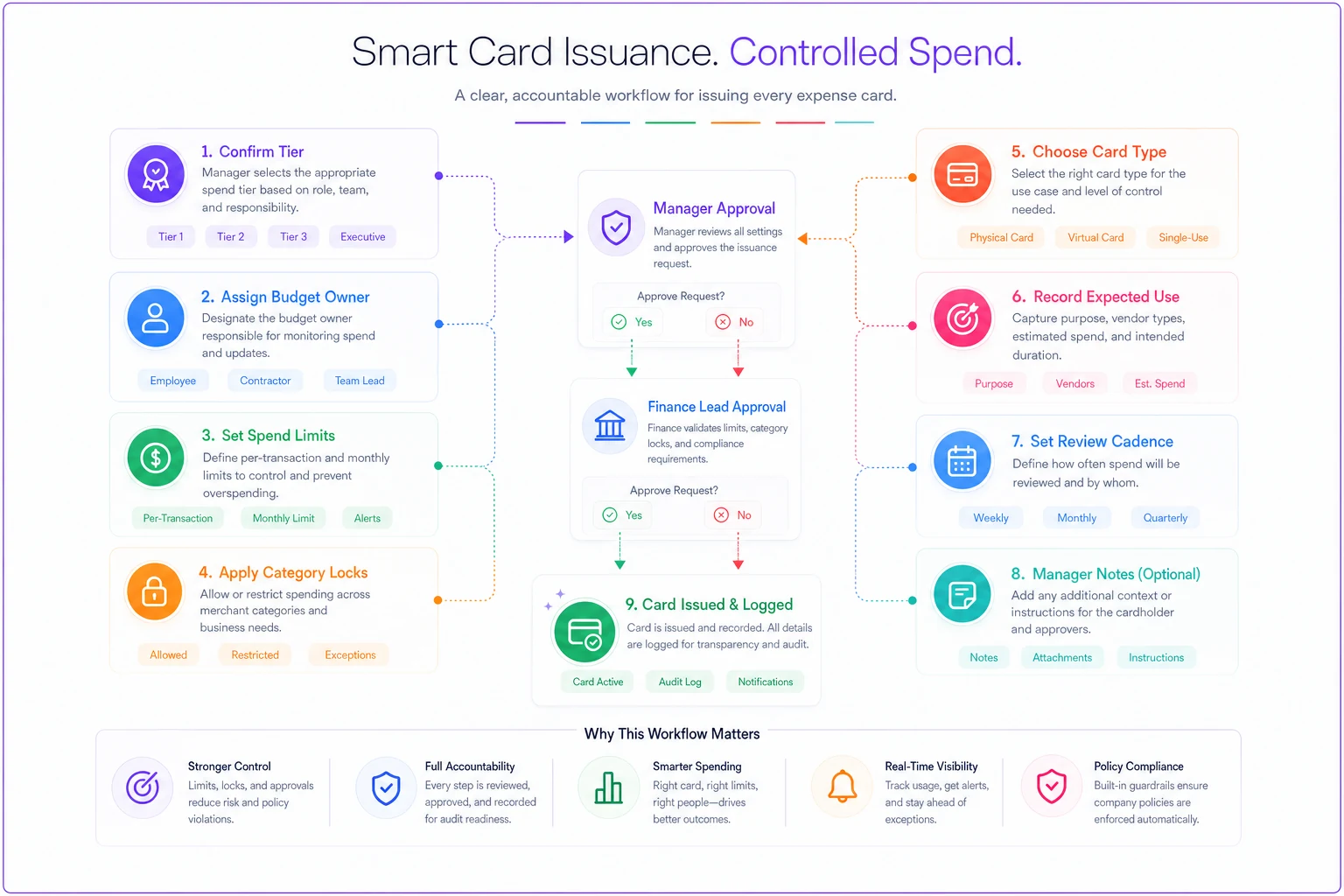
Use this checklist every time a card is issued to keep issuance consistent and auditable.
The role delegation matrix
This is the part that actually removes you as the bottleneck. The goal of delegation isn't to give managers unlimited power — it's to let them handle routine stuff and escalate only the genuinely risky decisions.
| Action | T1 card | T2 card | T3 card | T4 card |
|---|---|---|---|---|
| Issue a new card | Manager | Manager | Finance lead | Owner |
| Raise limit (within tier ceiling) | Manager | Manager | Finance lead | Owner |
| Raise limit above tier ceiling | Finance lead | Finance lead | Owner | Owner |
| Add a spend category | Manager | Finance lead | Owner | Owner |
| Freeze/cancel a card | Manager | Manager | Manager | Finance lead |
| Approve out-of-policy charge | Finance lead | Finance lead | Owner | Owner |
Two rules make this matrix actually work:
-
Freezing is always easy, raising is always harder. Any manager can kill any card immediately, no approval needed. But raising a limit or adding a category requires going up a level. Stopping should be frictionless; expanding should be deliberate.
-
Category changes are more dangerous than limit changes. Bumping a T2 monthly limit from $5k to $6k is minor. Adding "digital advertising" to a card that was supposed to cover office supplies is how scope creep happens. That's why the matrix escalates category changes faster than limit changes.
If you're already building out approval logic elsewhere, this matrix should mirror it. The same thinking behind an approval matrix and SLA playbook applies here — the delegation matrix is an approval matrix, just scoped to cards specifically.
Reconciliation rules that change per tier
Most templates fall over right here. They apply the same reconciliation standard to a $300 fuel card and a $15k executive card. That wastes your finance person's time on one end and creates real risk on the other.
-
T1 (Operational) Receipt required over $75. Reviewed in batches weekly. Because these are category-locked and low-limit, you're checking for pattern anomalies, not scrutinizing every coffee. A missing receipt gets a same-week nudge; three missing receipts freezes the card.
-
T2 (Departmental) Receipt required over $50. Reviewed weekly, reconciled against the department budget line. Any charge outside the locked categories gets flagged for the finance lead.
-
T3 (Vendor/Subscription) Every charge matched to a known vendor and expected amount. Because the card is merchant-locked, reconciliation is basically "does this match the contract?" Any variance over roughly 10% or any new merchant is an immediate flag.
-
T4 (Executive) Every charge reviewed individually at close, with receipt and one-line business purpose. Low volume, high trust, high stakes — full human attention regardless of amount.
The principle: reconciliation effort should be inversely proportional to how tightly the card is locked down. A heavily category-locked, low-limit card needs light-touch batch review. A broad, high-limit card needs individual scrutiny. Getting this backwards is why finance teams burn hours on tiny purchases while the big cards get a quick glance.
This also connects directly to how you close each month. When reconciliation rules per tier are clear and consistent, they fit into a broader repeatable month-end system instead of turning into a separate fire drill every cycle.
A real scenario: 18-person contractor
A residential contracting business, about 18 people, ran into the classic version of this. Six field crew shared two physical cards. The office manager had one card handling everything from supplier payments to software subscriptions. The owner approved every single limit request personally, usually from his truck.
The problems were predictable. Shared crew cards meant nobody could tell which tech bought what. A duplicate charge from a materials supplier slipped through and wasn't caught for close to two months — roughly $1,900 in overpayment that took real effort to recover. And the owner was fielding a dozen "can you bump my limit" texts a week.
They rebuilt around four tiers. Each crew member got their own T1 card locked to materials and fuel, $400 per-transaction, $1,800 monthly. The office manager's everything-card got split into a T2 physical for operational buying, plus a handful of T3 virtual cards for recurring software and main suppliers. The owner delegated all within-tier limit changes to the office manager and kept only above-ceiling approvals for himself.
After a couple of cycles: card-related interruptions basically disappeared, month-end card review dropped from a vague half-day to something closer to an hour, and the next duplicate charge got caught the same week because it hit a merchant-locked virtual card. Nothing dramatic — just a program that finally matched the shape of the business.
When this makes sense — and when it doesn't
This full four-tier setup makes sense when you're past roughly 10 people, more than one manager needs to buy things, and card questions are already bottlenecking through one person. If you're spending real time on limit requests and can't clearly explain who's allowed to buy what, you're ready.
This is overkill when you're a team of four and everyone's spending is visible anyway. At that size, two well-configured cards and a shared understanding beat a formal tier matrix. Don't build governance for a problem you don't have yet.
Who should not rush into this: businesses that haven't defined budget owners yet. Tiers and delegation only work if each card maps to a budget line and a human. If your budgets are still a single lump sum in your head, fix that first — the tier structure will just spread confusion faster.
Where software quietly helps
None of this requires fancy tooling. You can run the whole template with a spreadsheet for the delegation matrix and issuance log, plus whatever your card provider offers for limits and category locks.
That said, the parts that get tedious by hand — issuing per-vendor virtual cards, enforcing category locks, auto-flagging charges outside a tier's allowed categories, applying different receipt thresholds per tier — are exactly the kind of repetitive rule-following that a decent card and expense platform handles without you thinking about it. The value isn't magic; it's that the rules you defined once actually get enforced on every transaction instead of depending on someone remembering to check.
The template is the important part. Tools just keep you from having to police it manually.
The businesses that run clean card programs aren't stricter than everyone else. They've stopped applying one set of rules to wildly different kinds of spending. Define your tiers by purpose and risk, put virtual cards where the spend is predictable, delegate issuance so you're not the bottleneck, and let reconciliation effort follow how locked-down each card actually is.
Start with the tier table above, fill in the delegation matrix for your actual team, and run the issuance checklist the next time anyone asks for a card. You'll feel the difference by the second month-end — mostly in the questions you stop getting asked.
Ready to master your business expenses?
Join 5,000+ businesses using Costyly to save time, reduce overspending, and improve financial visibility.