

Most SMBs don't have an expense data problem. They have a governance problem that looks like an expense data problem. The categories are fine on day one. The vendor list is clean after the last cleanup. Then three months pass, four people make small edits nobody logged, someone renames "Software" to "SaaS," a bookkeeper merges two vendors that shouldn't have been merged, and suddenly your P&L doesn't tie to last quarter's report and nobody can explain why.
The frustrating part is that everyone did their job. The card admin added the new vendor. The finance lead updated a tag. The founder created a new cost center for the new office. Each change was reasonable in isolation. Put together, they quietly broke the shared reference data everyone downstream depends on.
This is a systems article, not a tips list. The point is to show how your registries — vendors, tags, categories, cost centers — connect to lineage (who changed what, when, and why) and change-control (how edits get proposed, reviewed, and merged safely). When those three things aren't wired together, your expense data governance degrades a little every week until a big cleanup gets forced. When they are, edits stop being scary.
The real failure isn't messy data — it's untracked change
Bad expense data almost never gets created in one bad moment. It accumulates through dozens of small, untracked changes that each seemed harmless at the time.
A typical example: a 14-person agency has one QuickBooks file, a corporate card program, and a tagging system for client-billable work. Over roughly eight months, things fall apart quietly.
-
Someone adds "Amazon" as a vendor. Someone else adds "Amazon Web Services." A third person adds "AMZN Mktp."
-
The client tag
clientacme gets duplicated as
Acmeandacme-corpbecause three people typed it from memory. -
A well-meaning bookkeeper decides "Meals" and "Meals & Entertainment" are the same and merges them — erasing a distinction the founder was actively using for a tax conversation.
-
The chart of accounts gets a new "Contractors" line, but the old "Freelancers" line stays live, so spend splits across both.
No single edit was wrong on purpose. But there was no record of who made each change, no place where the "official" version lived, and no review step before a change went live. That's the whole problem. Messy data is the symptom. Uncontrolled change is the disease.
The thing most teams miss: you can clean data all day, but if the process that creates changes isn't governed, you're just resetting a clock. Teams run a beautiful cleanup, feel great for a month, then drift right back — because they fixed the data instead of fixing the change process.
What "canonical registry" actually means in practice
Skip the textbook version. In an SMB, a canonical registry is just this: for each type of reference data, there is exactly one place that is the source of truth, and everything else copies from it.
Stop losing track of your business spending.
Costyly helps you record, monitor & control expenses—accurately and efficiently.
- Automated expense categorization
- Real-time budget tracking
- Detailed financial reports
No credit card required
-
Vendor registry — the master list of who you pay, with one canonical name per real-world entity.
-
Tag registry — your controlled vocabulary for tags (clients, projects, cost centers, billable flags).
-
Category / account registry — how spend maps to your chart of accounts.
The word that matters is canonical. Not "the list in QuickBooks" and "the list in the spreadsheet" and "the list in the card tool." One of them is the truth. The others are downstream copies. The moment two systems both claim to be the master, you've lost — because now reconciliation is a negotiation instead of a lookup.
A quick way to test whether you actually have canonical registries: ask two people to independently answer "what is the official name for this vendor?" or "which tag do we use for the Acme account?" If they give different answers, you don't have a registry. You have folklore.
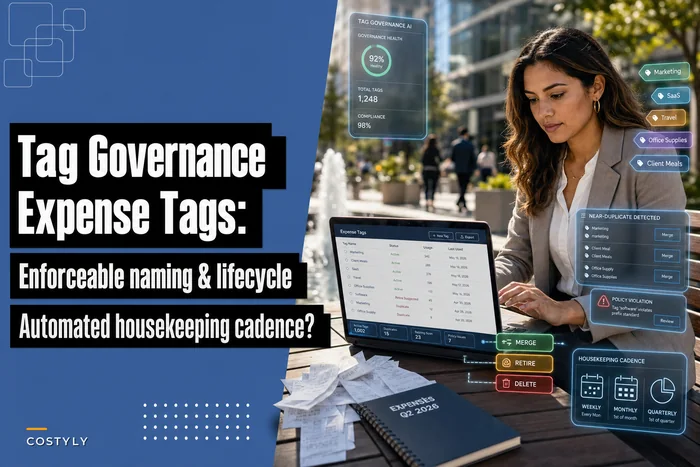
If your vendor list is where most of your drift lives, the mechanics of deduping and safely combining records are worth their own read — the safe-merge runbooks for vendor duplicates go deeper than we will here. Same for naming and lifecycle rules on the tag side, which the tag governance framework covers in detail.
Lineage: the part everyone skips and later desperately wishes they had
Lineage is just the answer to three questions for any piece of reference data:
-
Who changed it?
-
When did it change?
-
Why did it change — and what did it used to be?
Most SMBs have none of this. Someone renames a category and the old value is simply gone. Six weeks later a report looks wrong, and there's no trail to walk back.
This isn't about compliance theater. Lineage is about being able to undo and explain. Those are the two things that save you during a tax review, a board question, or a "why did our software spend jump 40% in March" conversation — spoiler: it didn't jump, a category got merged.
A workable lightweight lineage setup for a small team looks like this. Every change to a registry writes a small record:
| Field | Example |
|---|---|
| Object type | Vendor |
| Object | "Amazon Web Services" |
| Change type | Merge |
| Old value | "AWS", "AMZN Web Svc" |
| New value | "Amazon Web Services" |
| Changed by | J. Reyes |
| Date | 2024-03-11 |
| Reason | Consolidating 3 duplicate AWS entries |
| Reversible? | Yes — pre-merge snapshot saved |
You don't need enterprise tooling for this. A dedicated change log tab, or better, an operational platform that records edits to reference data automatically, gets you most of the value. The pattern that separates teams who sleep well from teams who dread month-end is simple: no change to a registry happens without a lineage record. If it's not logged, it shouldn't have happened.
One mistake that comes up constantly: teams log transactions carefully but treat reference data as disposable. Transactions are the easy part — every accounting system logs those. It's the vendor renames, tag merges, and category re-mappings that go untracked and cause the confusing discrepancies nobody can explain three months later.
Controlled-change pipelines: how an edit should actually flow
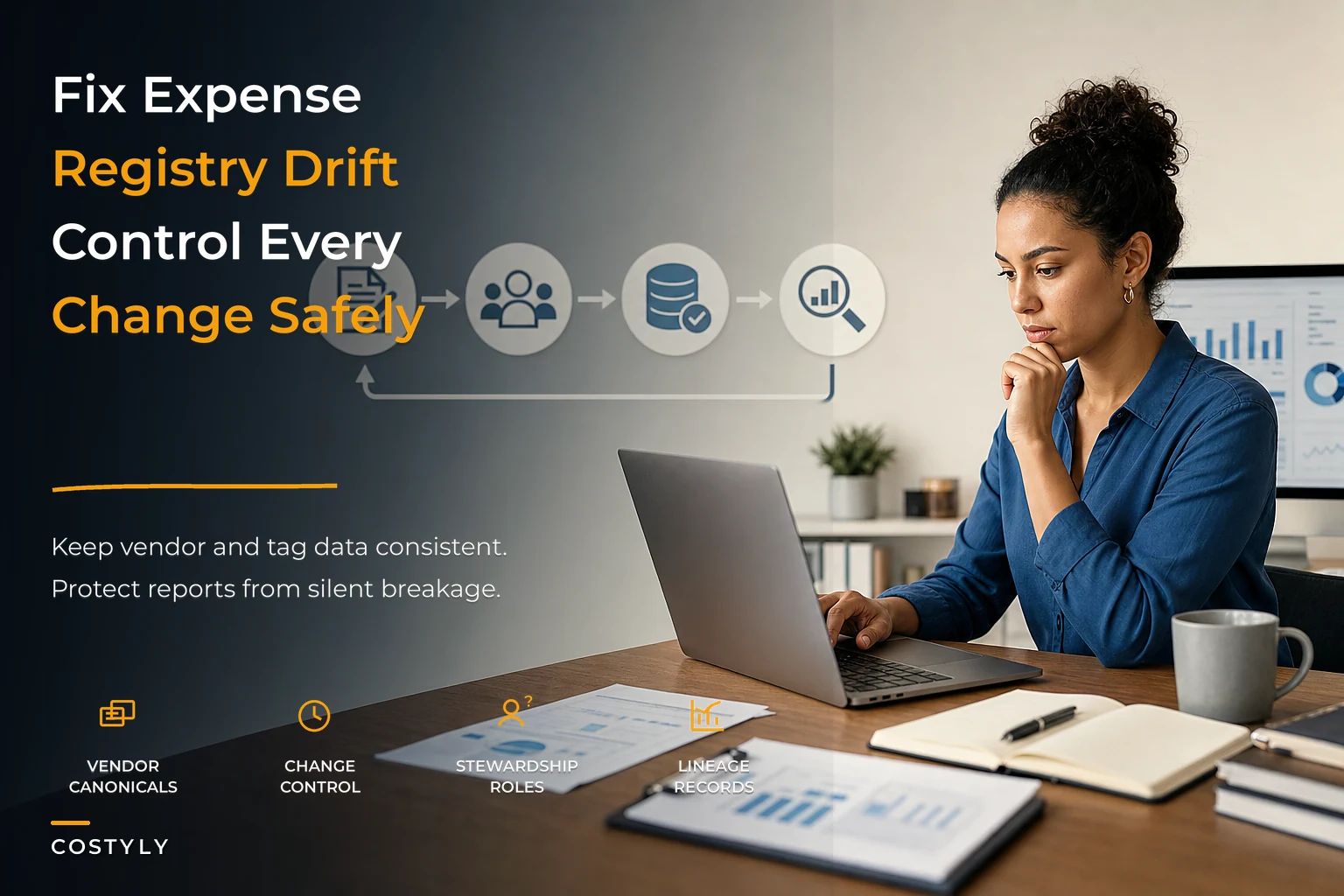
A controlled-change pipeline is the path a proposed change takes from "someone wants to change something" to "it's live and logged." The flow below shows how a change moves through each stage before it becomes permanent.
> GRAPH: A left-to-right workflow diagram showing four stages in sequence — Propose → Review → Merge/Apply → Verify — with a feedback arrow from Verify back to Propose when a downstream check fails, and a note on the Merge/Apply stage indicating a lineage record is written at that step.
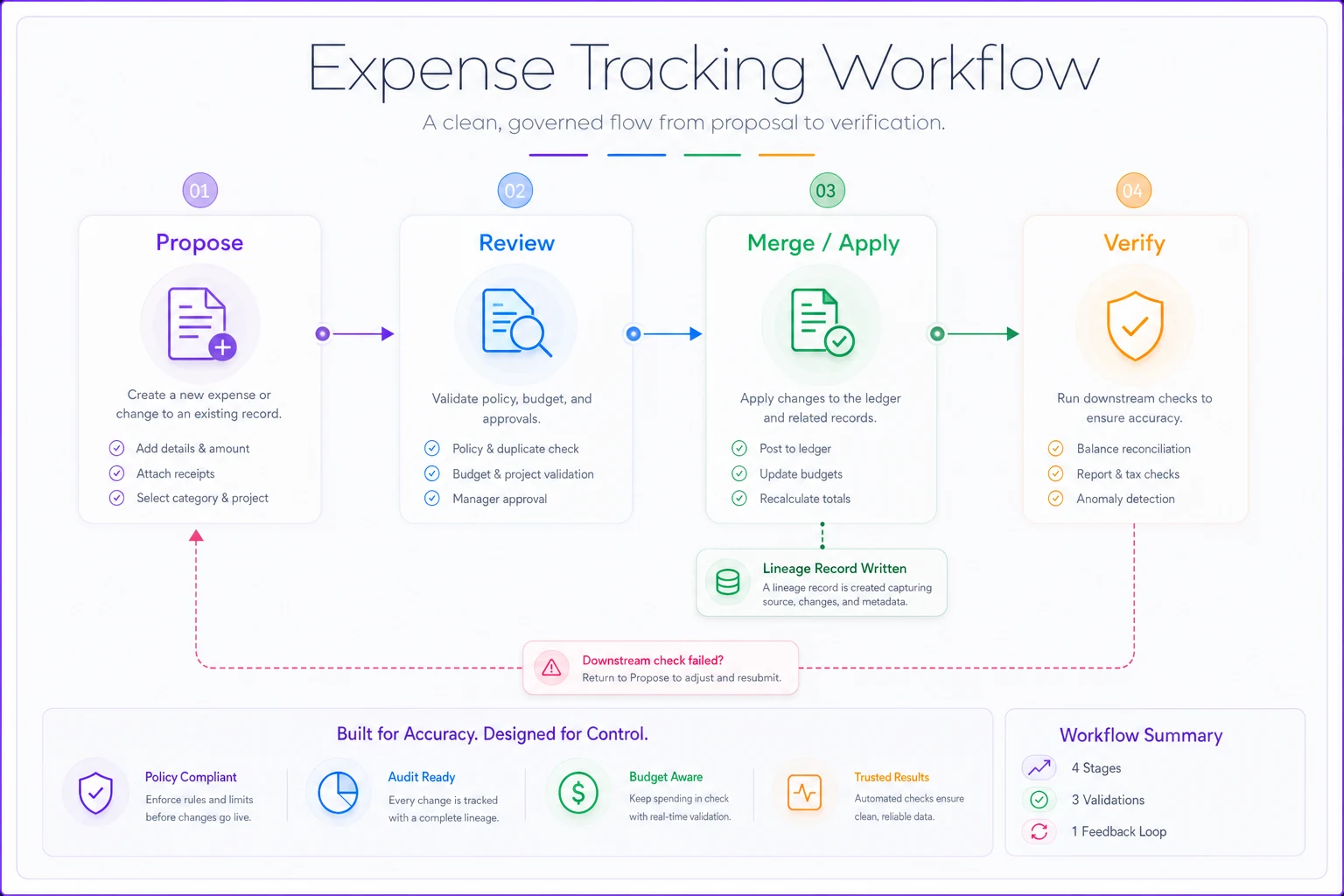
For a small team, four stages are enough.
1. Propose. Anyone can suggest a change — new vendor, new tag, category re-map, a merge. The proposal captures what they want and why. Low friction on purpose, because you want people surfacing changes instead of quietly making them.
2. Review. A steward (more on this role next) checks the proposal against your rules. Does this vendor already exist under another name? Does this tag follow the naming convention? Will this category change break an existing report or a client bill?
3. Merge / apply. The change goes live and a lineage record is written. If it's a merge, a pre-change snapshot is saved so it can be reversed.
4. Verify. A quick downstream check — did the reports still tie out, did any transaction lose its tag? Two minutes, not an audit.
The reason to formalize even this lightweight version comes down to timing. When multiple people can edit shared reference data at will, and any edit can silently change historical reporting, you're one bad merge away from a bad afternoon. This is the same logic behind treating rule changes carefully — the expense change-control playbook for safe rule deployments applies the same propose-review-apply structure to categorization rules, and the two systems reinforce each other.
The pipeline doesn't need to be slow to be safe. Most changes should clear in minutes. Its job isn't to block changes — it's to make sure the risky ones get a second look and all of them get logged.
Stewardship: one person, a few minutes a week
You don't need a data governance department. You need a steward — one person who owns each registry and reviews proposed changes. In a small business this is usually the finance lead or a senior bookkeeper, and the whole role adds up to maybe 20–40 minutes a week.
What the steward actually does:
-
Reviews and approves or rejects proposed changes to their registry
-
Runs a short weekly tidy pass to catch drift that slipped through
-
Owns the naming conventions and the "one canonical name" rule
-
Decides on merges — the highest-risk change type — rather than letting anyone trigger them
The critical rule: stewards approve merges; regular users don't. A merge is effectively irreversible and destroys distinctions. A new-vendor add is cheap and safe. Match the friction to the risk. New vendor? Anyone can propose, auto-approve if it doesn't collide with an existing name. Merge two vendors or re-map a category? Steward only.
A pattern worth borrowing: split reference-data changes into two lanes.
-
Low-risk lane (adds that don't collide)
fast, near-automatic, still logged.
-
High-risk lane (merges, renames, re-maps, deletions)
steward review required.
This is what keeps governance from becoming bureaucracy. Ninety percent of changes flow through fast. The ten percent that can break things get a human check.
A safe-merge runbook you can actually follow
Merges cause more expense-data pain than any other single operation. Here's a concrete runbook. Say you've got three vendor records that are all really the same company and you want to consolidate to one canonical record.
-
Freeze and snapshot. Before touching anything, save the current state of all three records and every transaction attached to them. This is your undo button.
-
Pick the canonical record. Choose the correct legal or canonical name. Note the two that will be absorbed.
-
Check downstream dependencies. Are any of these vendors referenced in a recurring rule, a client-billable mapping, or an open report? List them.
-
Re-point transactions. Move all transactions from the absorbed records to the canonical one.
-
Write the lineage record. Log old names, new name, who, when, why, and where the snapshot lives.
-
Verify totals. Total spend for the canonical vendor after the merge should equal the sum of the three before. If it doesn't, stop and investigate — you dropped something.
-
Retire, don't delete. Mark the absorbed records inactive rather than deleting them, so old references still resolve.
Step 6 is the one people skip, and it's the one that catches the mistakes. A merge that silently changes your totals is exactly the kind of error that surfaces two months later as an unexplainable variance.
Real scenario: a distribution company that stopped losing its quarter-end
A regional distributor with around 18 employees was spending two to three days every quarter reconciling why category totals didn't match prior reports. The root cause turned out to be exactly what this article describes: three people editing vendors and categories with no log, no single source of truth, and no review on merges.
They didn't buy anything fancy. They did four things:
-
Named the finance lead as steward for vendors and categories, and a senior AR clerk as steward for client tags.
-
Declared the accounting file the canonical vendor and category source; the card tool and spreadsheets became copies.
-
Required a logged reason for any merge or rename, with a snapshot saved first.
-
Ran a 30-minute weekly tidy pass instead of a quarterly firefight.
Over the next two quarters, quarter-end reconciliation dropped from that two-to-three-day slog to roughly half a day. The bigger win was quieter: variance questions from the owner went from a monthly "why doesn't this match?" to almost never — because when something did change, the lineage record answered it in under a minute.
No platform migration, no major system purchase. The fix was process and ownership, plus a place to log changes.
Where tooling actually earns its keep
Reference-data governance is doable in spreadsheets. It just gets fragile as you grow, because the discipline depends entirely on people remembering to log changes by hand. Somewhere around the 15–20 person mark, when multiple people are touching expenses daily, manual lineage logging is usually the first thing to slip.
This is where operational software with change-control built in quietly helps: it records who edited a registry and when without anyone needing to remember, enforces the two-lane structure automatically, and blocks a merge from going live until a steward approves it. The value isn't automation for its own sake — it's that the lineage record can't be forgotten, because the system writes it. You get the audit trail as a byproduct of doing the work, not as an extra task nobody has time for.
Be honest about sequencing, though. Tooling on top of an ungoverned process just automates the mess faster. Define your canonical registries, name your stewards, and agree on the two-lane rule first. Then let software carry the logging and enforcement so it survives the busy weeks when discipline is the first casualty.
When this level of governance makes sense — and when it doesn't
When it makes sense:
-
You have more than a handful of people editing expense reference data.
-
Your reports need to tie out quarter over quarter for investors, lenders, or tax purposes.
-
You do client-billable work where a wrong tag becomes a wrong invoice.
-
You've already been burned once by a merge or rename you couldn't explain.
When it's overkill:
-
A solo owner or two-person shop where one person touches the books. You don't need a pipeline to review your own edits. Keep a simple change note and move on.
-
A brand-new business still figuring out its categories. Lock things down after the structure stabilizes — early over-governance just slows down the learning.
One more thing: don't build a heavy approval pipeline if your real problem is that nobody owns the data at all. Ownership comes first. A steward with a spreadsheet beats an elaborate pipeline with no owner every single time.
The connected view
Your vendor registry, your tags, and your category mappings aren't separate lists — they're the shared vocabulary every downstream report, invoice, and forecast depends on. Change one carelessly and the ripple hits reconciliation, client billing, and your P&L at once.
Canonical registries give you one truth. Lineage gives you the ability to explain and undo. Controlled-change pipelines make sure risky edits get reviewed. Stewardship makes sure someone actually owns it. Individually, each is a small habit. Together, they're the difference between a quarter-end that closes quietly and one that turns into a two-day investigation into why "Software" and "SaaS" are apparently two different things now.
Start smaller than you think you need to. Pick your one canonical source for vendors. Name one steward. Require a logged reason for every merge. That alone will catch most of the drift. The rest you can layer on as the business grows and more hands touch the data — which they will.
Ready to master your business expenses?
Join 5,000+ businesses using Costyly to save time, reduce overspending, and improve financial visibility.