


Integration rework almost never shows up during the demo. It shows up three weeks after go-live, when someone in payroll opens a reimbursement batch and half the rows don't have an employee ID that matches the HR system. Or the tax team pulls the quarter's VAT-eligible expenses and finds that the "VAT" field was free-text, so it contains 20%, 20, 0.2, standard, and one memorable entry that just says yes.
The expense system worked fine. The exports came out clean-looking. But the data model underneath — the actual fields, their types, and how they map to payroll, GL, and tax — was never designed for the systems downstream. That's the gap this checklist is about. This isn't a piece about picking software. It's about defining the minimum data contract your expense records need to satisfy before anyone builds the integration, so you don't spend the first two months post-launch patching mapping logic and re-keying rows by hand.
Start from the downstream systems, not the expense form
Most teams design their capture fields by looking at the expense form and asking "what do we want people to enter?" That's backwards. The capture fields should be derived from what your downstream systems require to accept a record without a human intervening.
Work it in this order:
-
List every system that consumes expense data (payroll, GL/accounting, tax/VAT reporting, project/job costing, maybe a BI warehouse).
-
For each system, write down the fields it needs to ingest a row and the exact format it expects them in.
-
Union those field lists together. That union — minus anything you can derive — is your mandatory capture set.
A concrete example of why this matters: payroll doesn't care about your receipt image. But it absolutely cares that the beneficiary on a reimbursement resolves to an active employee record with a valid pay-run identifier. If your expense system captures "submitted by" but not "reimburse to" as a distinct field, you'll break the moment someone submits an expense on behalf of a colleague. That single missing distinction causes a surprising amount of rework.
Mandatory capture fields (the non-negotiable set)
Here's the field set that tends to hold up across SMB integrations. These are the fields that, when missing or loosely typed, generate the most downstream cleanup.
Stop losing track of your business spending.
Costyly helps you record, monitor & control expenses—accurately and efficiently.
- Automated expense categorization
- Real-time budget tracking
- Detailed financial reports
No credit card required
-
Beneficiary / reimburse-to — who actually gets paid. Store as a stable ID, not a name. Names collide (two Chris Bennetts), IDs don't.
-
Employee ID — the payroll/HR key, captured separately from "submitter." These are the same person 90% of the time and different in the 10% that breaks batches.
-
Cost center — the allocation target. Should be a controlled value from your finance master list, never free-text.
-
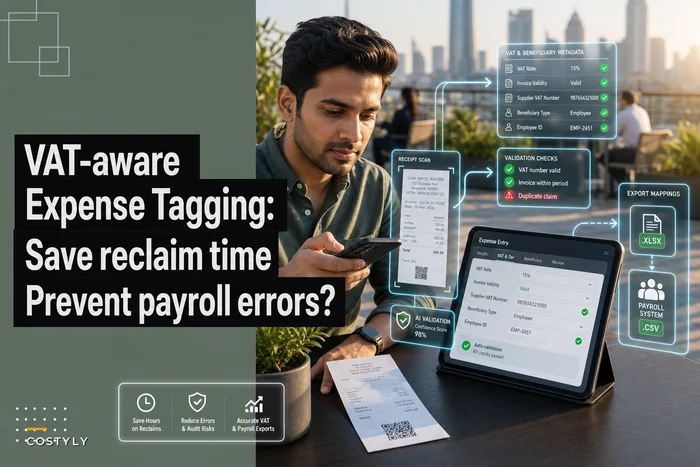
VAT / tax metadata — tax rate code, tax amount, net amount, and a VAT-reclaim-eligible flag. Amount and rate, not one or the other. (We go deep on why this matters in VAT-aware expense tagging that saves reclaim time and prevents payroll errors.)
-
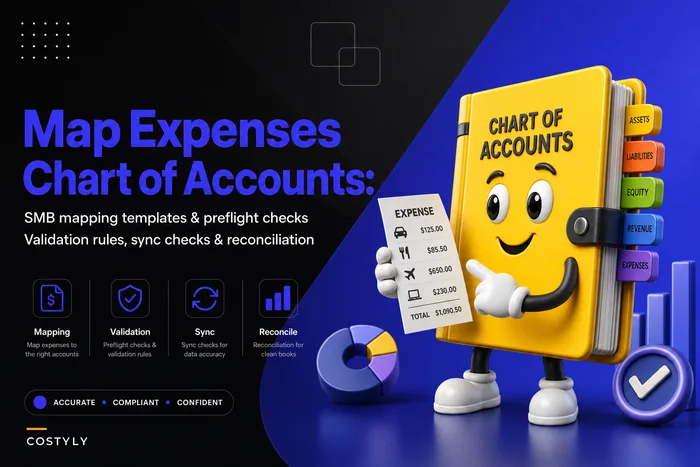
GL account code — derived from category where possible, but stored explicitly on the record so the export is self-contained. If you're still building your category-to-account map, this template walkthrough covers the reconciliation side.
-
Currency + FX rate + booking currency — three fields, not one. The original amount, the rate used, and what it converts to in your reporting currency.
-
Transaction date vs. submission date — different dates, different downstream uses. Tax periods key off transaction date; SLA and cash-flow reporting key off submission.
-
Payment method / funding source — corporate card vs. personal (reimbursable) vs. direct vendor pay. Payroll only touches the reimbursable ones, and if it can't filter reliably, someone does it manually.
-
Project / job code (if you bill or cost by job) — optional per business, mandatory if it exists at all.
-
Unique record ID — a stable, non-reusable primary key. This is the anchor for idempotent syncs and dispute lookups.
The pattern worth internalizing: every field that a downstream system uses as a join key or a filter must be typed and controlled, not free-text. Free-text is fine for descriptions. It's poison for anything a machine has to match against.
A field-type breakdown that survives real exports
The field name matters less than its type and its constraints. This is where most homegrown exports quietly fall apart.
| Field | Type | Controlled? | Common failure when loose |
|---|---|---|---|
| Employee ID | string, fixed pattern | Yes (validated against HR list) | Reimbursement lands on wrong or inactive employee |
| Cost center | enum from finance master | Yes | Allocation to a decommissioned or misspelled center |
| VAT rate code | enum (e.g. STD, RED, ZERO, EXEMPT) | Yes | Tax report double-counts or drops reclaimable VAT |
| VAT amount | decimal(2) | Derived + validated | Rounding drift, net+tax ≠ gross |
| Currency | ISO 4217 code | Yes | FX conversion applied twice or not at all |
| Transaction date | ISO 8601 date | Yes | Expense lands in wrong tax period |
| Amount (gross) | decimal(2) | Yes | Cent-level mismatches that block auto-reconciliation |
| Record ID | UUID / stable string | Yes (unique) | Duplicate imports on re-sync |
One thing worth flagging from cleanup work: the single most expensive loose field is the VAT rate stored as free-text or as a raw percentage instead of a code. When it's a code, a rate change — say, a reduced rate moving from 5% to 12.5% — is a lookup-table update. When it's baked into every row as a number, you're now interpreting historical rows by transaction date to figure out which regime applied. That's not a bug you fix once.
Sample export schema
Whatever your tooling, the export should be self-describing and stable. Here's a CSV shape that satisfies payroll, GL, and tax in one file:
recordid,txndate,submitdate,beneficiaryid,employeeid,costcenter,glaccount,paymentmethod,currency,amountgross,amountnet,vatamount,vatratecode,vatreclaimeligible,fxrate,bookingamount,bookingcurrency,projectcode,description a7f3c1e2,2025-03-11,2025-03-14,EMP-0442,EMP-0442,CC-SALES-EU,6100,personalreimbursable,EUR,120.00,100.00,20.00,STD,true,1.0850,130.20,USD,,Client dinner Berlin b2d9f4a1,2025-03-12,2025-03-14,EMP-0187,EMP-0117,CC-OPS-UK,6420,corp_card,GBP,45.60,38.00,7.60,STD,true,1.2700,57.91,USD,PRJ-338,Taxi to warehouse
Note row two: beneficiaryid and employeeid differ. EMP-0117 submitted on behalf of EMP-0187. If your schema collapses those into one column, payroll pays the wrong person — and no validation rule will ever catch it, because both are valid employees.
{ "recordid": "a7f3c1e2", "dates": { "transaction": "2025-03-11", "submission": "2025-03-14" }, "beneficiaryid": "EMP-0442", "employeeid": "EMP-0442", "allocation": { "costcenter": "CC-SALES-EU", "glaccount": "6100", "projectcode": null }, "paymentmethod": "personalreimbursable", "amounts": { "currency": "EUR", "gross": 120.00, "net": 100.00, "vat": { "amount": 20.00, "ratecode": "STD", "reclaimeligible": true } }, "fx": { "rate": 1.0850, "bookingamount": 130.20, "bookingcurrency": "USD" }, "description": "Client dinner Berlin" }
The nesting isn't decoration. Grouping amounts.vat keeps tax logic together so the tax system can consume that object directly, and grouping fx means your reporting layer never has to guess whether an amount is in transaction or booking currency.
Mapping to payroll and tax systems
The export is only useful if the target systems know what to do with each field. Here's how the same schema fans out.
To payroll (reimbursements only):
-
Filter
paymentmethod = personalreimbursable. Corporate-card and direct-vendor rows never reach payroll. -
Join key
beneficiary_id→ payroll employee master. -
Pay amount
bookingamountinbookingcurrency(the employee gets paid in company currency, not EUR). -
Reference
record_idbecomes the payroll line memo, so a "why was I paid £57.91" question resolves in one lookup.
To tax/VAT reporting:
-
Filter
vatreclaimeligible = true. -
Group by
vatratecodeand tax period derived fromtxn_date. -
Sum
vat_amountper code. -
Reconcile
amountnet + vatamountmust equalamount_grossper row before the row is eligible. This one check catches most rounding and data-entry drift.
To GL/accounting:
-
Debit
glaccountforamountnet. -
Allocate
split or tag by
costcenterandprojectcode. -
VAT
vat_amountto the input-VAT control account. -
Credit
employee-payable (reimbursable) or card-clearing (corp card), driven by
payment_method.
The mistake that comes up repeatedly here isn't a wrong mapping — it's an implicit one. Someone knows in their head that corp-card rows shouldn't hit payroll, but that rule lives in a person, not in a documented filter. When that person is on holiday and someone else runs the batch, the rule quietly disappears and a card charge gets reimbursed on top of the card statement. Double payment. Write the filters down as part of the mapping spec.
Preflight validation tests to run before every sync
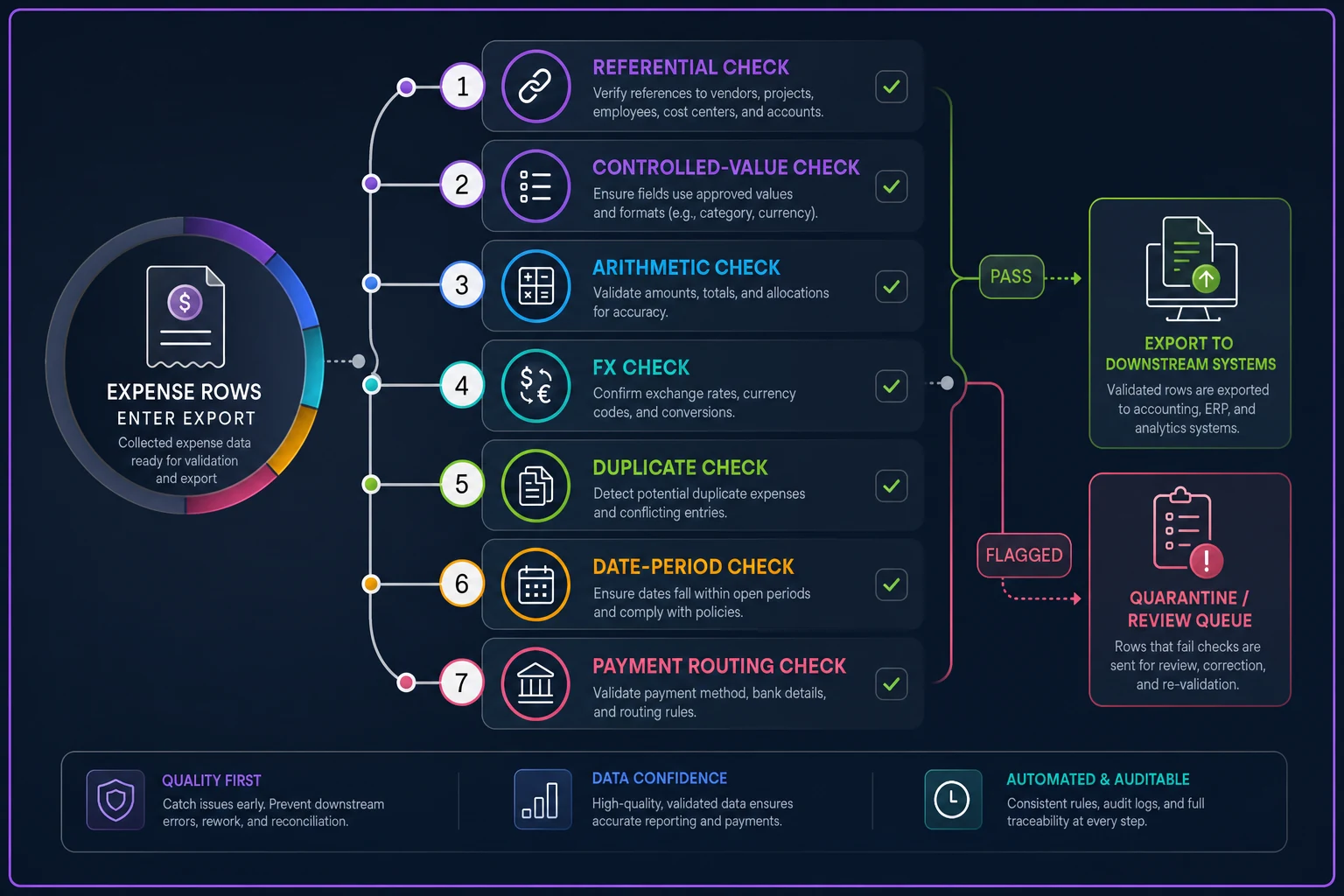
Preflight validation is the cheapest rework insurance you can buy. These are row-level and batch-level checks that run before the export leaves the expense system, so bad rows get flagged instead of poisoning a downstream batch.
Run these on every export:
-
Referential integrity every
employeeidandbeneficiaryidexists and is active in the HR master. -
Controlled-value integrity every
costcenter,glaccount, andvatratecodematches the current finance master lists. -
Arithmetic integrity
amountnet + vatamount == amount_gross(within one cent). Flag anything that fails. -
FX sanity
amountgross * fxrate ≈ booking_amountwithin tolerance. Catches stale or inverted rates. -
VAT-rate/code consistency the implied rate (
vatamount / amountnet) is plausible for the givenrate_code. ASTDrow implying 6% is wrong somewhere. -
Duplicate detection no repeated
record_idin the batch; no near-duplicate (same beneficiary, amount, date, vendor) that suggests a double submission. -
Date-period integrity
txn_datefalls inside an open tax/accounting period. Rows for closed periods get held, not pushed. -
Payment-method routing every
personalreimbursablerow has a resolvable beneficiary; everycorpcardrow is excluded from the payroll slice.
A useful discipline: treat any failed preflight row as quarantined, not rejected. Rejecting drops data. Quarantining holds it in a review queue with the specific failed check attached, so someone fixes the one bad field instead of resubmitting the whole expense. The difference in cleanup time is significant.
Treat failed preflight rows as quarantined, not rejected.
Visual aid:
This is also where automation earns its keep quietly. Running these checks by hand across a few hundred rows a month is tedious and easy to get wrong; having the validation run automatically on export — and routing only flagged rows to a human — is what keeps the integration from silently degrading. The point isn't the automation itself, it's that the checks happen every time, not just when someone remembers.
A real scenario
A roughly 30-person design and build firm was reimbursing project expenses through their accounting tool and pushing reimbursements into payroll via a monthly CSV. Nothing was technically broken, but every month two or three reimbursements went to the wrong person or the wrong project, and VAT reclaim was consistently understated because the rate lived in a free-text note field.
The finance lead was spending close to a day and a half each month reconciling the payroll batch against the expense list, plus follow-up emails chasing missing cost centers. On the VAT side, they were leaving somewhere in the range of a few hundred to over a thousand pounds of reclaim on the table per quarter — simply because reclaim-eligibility wasn't a captured flag. It was a judgment call made row by row, and rushed rows got skipped. They didn't switch systems. They redefined the capture fields: split beneficiary from submitter, moved cost center and VAT rate to controlled dropdowns, added a reclaim-eligible flag, and put the eight preflight checks above in front of the export. Wrong-person reimbursements dropped to essentially none over the following couple of cycles. Monthly reconciliation shrank from a day and a half to a couple of hours, mostly spent on the handful of quarantined rows. VAT reclaim stopped leaking because eligibility was now a field, not a memory. Nothing exotic happened. The data model just started matching what the downstream systems actually needed.
When this level of rigor is worth it — and when it isn't
If you're a five-person shop pushing a dozen expenses a month into one accounting tool with no separate payroll integration, most of this is overkill. A clean category-to-account map and consistent VAT codes will carry you. Building a full validated schema for twelve rows is effort you won't get back.
Where it pays off sharply: the moment you have two or more downstream systems consuming the same expense data — payroll and tax, or GL and job costing — or the moment reimbursements route through payroll rather than a simple bank payment. That's when the join keys and controlled values stop being nice-to-haves and start being the thing that prevents wrong payments. It's also worth it earlier than you'd think if you bill expenses to clients or cost them to projects, because a wrong cost center there isn't just a cleanup task — it flows into an invoice or a project margin number and becomes a client-facing error.
The teams that get burned are usually the ones in the middle: they've outgrown the spreadsheet, they've added a second consuming system, but they never went back and re-derived their capture fields from what those systems require. The export still looks fine. It just quietly needs a human every month to make it true.
The one thing to take away
Design your expense fields from the downstream systems inward, type every join key and filter as a controlled value, and put arithmetic and referential preflight checks in front of every export. Do that, and the integration work becomes a one-time mapping exercise instead of a recurring monthly patch job. Skip it, and you'll keep paying for it on the 5th of every month — in wrong payments, understated VAT, and the slow tax of re-keying rows that should have never been ambiguous in the first place.
Ready to master your business expenses?
Join 5,000+ businesses using Costyly to save time, reduce overspending, and improve financial visibility.