
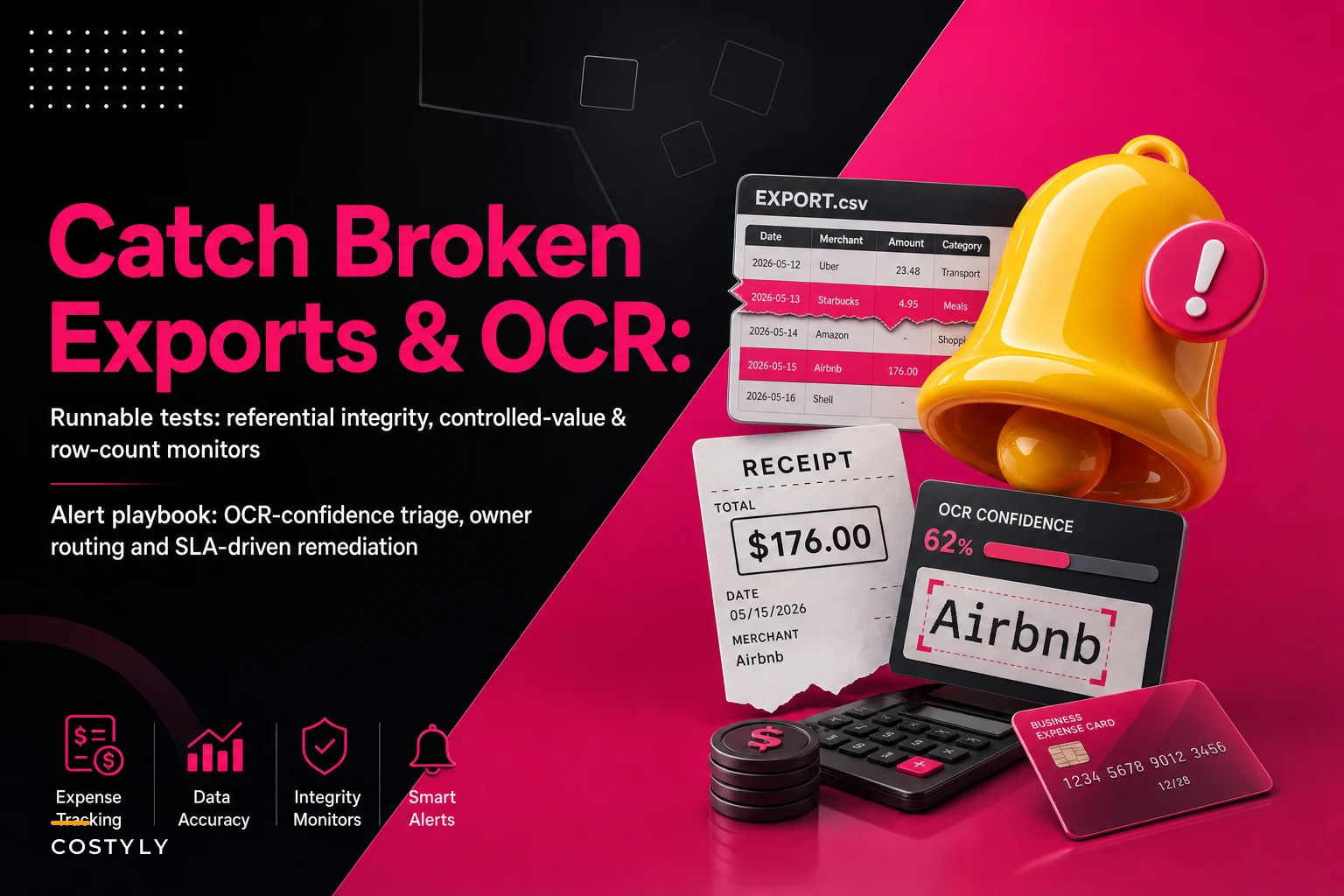

Most expense data problems don't announce themselves. Nobody gets an error message when last night's export dropped 14 rows, or when OCR confidently read a $1,480 hotel bill as $14.80. The export "succeeds," the file lands, the import runs green, and your numbers are quietly wrong until someone catches it three weeks later during reconciliation—usually by accident.
That gap between "the pipeline ran" and "the data is actually correct" is where small finance teams lose hours they can't afford. You can't babysit every export manually, and you shouldn't have to. What you need is a small set of tests that run automatically, flag the specific thing that broke, and tell a named person exactly what to do about it.
This is a runnable test suite and alert playbook for the handful of failures that actually hurt: referential integrity breaks, controlled-value drift, low-confidence OCR, and silent delivery/row-count problems. Each check comes with a sample query, a threshold, an owner, and a response SLA. The goal of expense data observability for an SMB isn't to build a data engineering practice—it's to catch the five or six things that reliably go wrong and make them impossible to ignore.
Start with the failure modes, not the tooling
Before writing a single query, it helps to name what you're actually defending against. Across expense pipelines, the same categories keep showing up:
-
Referential breaks — an expense row points to a vendor ID, employee ID, or GL account that doesn't exist in the master tables. Usually caused by a vendor merge, a deleted employee record, or a chart-of-accounts change upstream.
-
Controlled-value drift — a field that should only hold a known set of values (currency codes, category codes, status flags) suddenly contains
USDwith a trailing space, orMiscellaneousinstead ofMISC, or a null where there should never be one. -
OCR confidence failures — the amount, date, or tax field was extracted below a confidence threshold, meaning the number in your books might be a guess.
-
Delivery and row-count anomalies — the file didn't arrive, arrived late, or arrived with a wildly different number of rows than usual.
Each of these has a distinct signature, which is good news—it means each one gets its own cheap, specific test. The mistake teams make is trying to validate "is this data good?" as one giant question. It isn't answerable. "Does every vendor_id in today's export exist in the vendor table?" is answerable in one query.
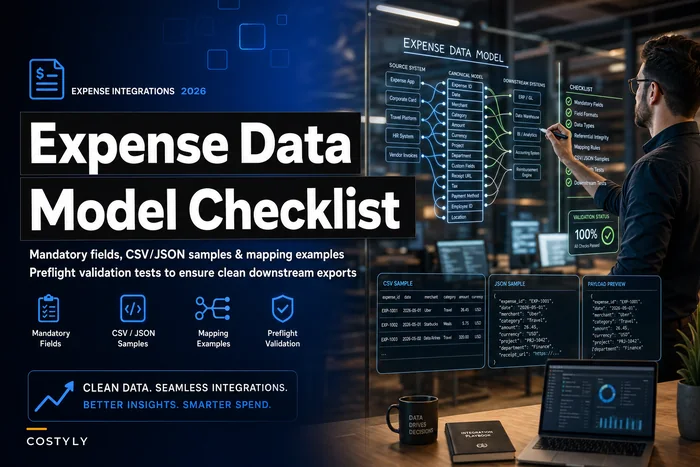
If your underlying schema is loose, these checks get harder to write and noisier to run. Worth making sure your fields and keys are stable first—the expense data model checklist for SMB integrations covers the structural groundwork that makes everything below easier.
Referential integrity checks
The most damaging break is also the easiest to detect: an expense referencing something that no longer exists. When a vendor gets merged or renamed upstream, old expense rows can end up orphaned, and your spend-by-vendor report silently splits one supplier into two—or drops rows entirely from a join.
Stop losing track of your business spending.
Costyly helps you record, monitor & control expenses—accurately and efficiently.
- Automated expense categorization
- Real-time budget tracking
- Detailed financial reports
No credit card required
A typical example: a services firm merges "ACME Corp" and "Acme Corporation" into a single canonical vendor. The merge updates the vendor master, but a batch of in-flight expenses still carries the old ID. The next export has 23 rows pointing at a vendor_id that no longer resolves. The import doesn't fail—it just left-joins to null, and $9k of spend disappears from the vendor breakdown.
-- Orphaned vendor references in today's export SELECT e.expenseid, e.vendorid, e.amount, e.expensedate FROM stagingexpenses e LEFT JOIN vendormaster v ON e.vendorid = v.vendorid WHERE v.vendorid IS NULL;
Run the same pattern for employeeid against your employee table and glaccount against your chart of accounts.
Threshold and SLA: any orphaned row is a hard stop. The export shouldn't load until it's resolved. Owner: whoever manages vendor/employee master data. Response SLA: same business day, because an unresolved orphan corrupts every downstream report that joins on that key.
One pattern worth flagging: orphans tend to cluster right after a master-data cleanup. If you ran a dedupe or merge this week, expect a spike and stage the export before loading so you can catch the stragglers.
Controlled-value assertions
These are the tests that catch the small stuff that quietly poisons reporting. A currency field should only ever contain codes from your known list. A status field should only contain values your system actually uses. A category code should match your taxonomy. When those assumptions break, reports don't error—they just mis-bucket.
The sneaky version is whitespace and casing. "USD" and "USD " are different strings to a database, and they'll split a currency total into two lines that don't obviously look different on screen. Same with "Travel" vs "travel" vs "TRAVEL".
-- Currency codes outside the approved set SELECT expenseid, currency, COUNT(*) OVER () AS badrows FROM staging_expenses WHERE TRIM(UPPER(currency)) NOT IN ('USD','EUR','GBP','CAD') OR currency <> TRIM(currency); -- catches trailing/leading spaces
Build one of these per controlled field. Keep the approved list in a small reference table rather than hardcoding it, so adding a new currency or category is a one-row insert, not a code change.
Keep the approved list in a small reference table rather than hardcoding it, so adding a new currency or category is a one-row insert, not a code change.
| Field | Allowed values source | Common failure | Threshold |
|---|---|---|---|
| currency | reference table | trailing space, lowercase | 0 tolerated |
| expense_status | enum list | new status added upstream | 0 tolerated |
| category_code | taxonomy table | free-text instead of code | 0 tolerated |
| tax_rate | numeric range check | 0 where VAT expected | flag for review |
SLA: controlled-value failures are usually formatting issues, not data loss, so they don't need to block the load the way orphans do—but they should alert the data owner the same day. If the same bad value keeps showing up, that's a sign the upstream source changed, which is worth a short investigation rather than repeated manual cleanup.
For why clean controlled values matter so much downstream, the operating model in stop reporting unreliable spend connects these field-level checks to the metrics they feed.
OCR-confidence triage
OCR is the one place where "the data loaded fine" and "the number is correct" are completely unrelated. A receipt scan can produce a perfectly formatted $14.80 that should have been $1,480. The field is populated, the type is valid, the import is happy—and your expense total is off by a factor of 100.
Most OCR engines return a confidence score per field. The trick is to stop treating OCR as pass/fail and treat it as a triage queue instead. Route by confidence:
-
High confidence (above ~95%) on amount, date, and tax → auto-accept, no human touch.
-
Medium confidence (roughly 80–95%) → accept but flag for spot-check, and hold from any auto-approval over a dollar threshold.
-
Low confidence (below ~80%) → block from loading and push to a manual review queue.
-- Receipts needing human review this batch SELECT expenseid, amount, amountconfidence, dateconfidence, taxconfidence FROM stagingocr WHERE amountconfidence < 0.80 OR dateconfidence < 0.80 OR taxconfidence < 0.80 ORDER BY amount DESC; -- review biggest dollar amounts first
Sorting by amount matters. A low-confidence $8 coffee receipt isn't worth a human's time; a low-confidence $4,200 flight is. The highest-value fix in real operations is applying a stricter threshold to high-dollar lines and a looser one to small-dollar noise.
SLA: low-confidence items sit in a review queue with a 24-hour turnaround so they don't delay the close. The owner is usually whoever handles receipt QA.
A pattern worth watching: OCR confidence tends to collapse in batches, not randomly. A single vendor switching to thermal-print receipts, or one employee photographing receipts at an angle, will light up your low-confidence queue. When you see a cluster, fix the source (ask for emailed PDFs, retrain on that vendor's format) rather than re-keying every receipt indefinitely.
Row-count and delivery monitors
The failure nobody plans for is the file that simply doesn't show up—or shows up empty. These are the most embarrassing to miss because there's no bad data to catch; there's an absence of data, and absences don't trigger validation rules that run against rows.
Delivery monitor: did a file arrive in the expected window? If your card provider drops a daily export by 6am and nothing landed by 8am, that's an alert on its own—before any content checks run.
Row-count monitor: is today's row count within a reasonable band of what's normal? A sudden drop to a third of the usual volume usually means a filter broke upstream or a partial file was delivered.
-- Row count vs trailing 14-day average WITH recent AS ( SELECT loaddate, COUNT() AS rows FROM expenseloads WHERE loaddate >= CURRENTDATE - INTERVAL '14 days' GROUP BY loaddate ) SELECT (SELECT COUNT() FROM stagingexpenses) AS todayrows, AVG(rows) AS avgrows, (SELECT COUNT(*) FROM staging_expenses) / NULLIF(AVG(rows),0) AS ratio FROM recent;
Alert when ratio falls below ~0.5 or jumps above ~2.0. Those bands aren't precise science—tune them to your own volatility. A seasonal business will have wider natural swings than a steady one, and a band that's too tight just trains people to ignore alerts.
SLA: a missing file is an immediate alert to the pipeline owner, because every hour of delay pushes your close back. A row-count anomaly within business hours gets a same-day look; the question is always "did the source change, or did the pipeline break?"
Alert-to-owner remediation: the part most teams skip
Tests that fire into a shared inbox or a Slack channel nobody owns are worse than no tests—they generate noise and teach everyone to ignore alerts. The entire value of this suite depends on each check having a named owner and a defined response.
A working remediation workflow looks like this:
-
Check fails → alert fires with the specific failing rows attached, not just "validation failed."
-
Alert routes to one owner based on the check type (master-data owner for orphans, receipt-QA owner for OCR, pipeline owner for delivery).
-
Owner acknowledges within the SLA window, so the alert doesn't silently rot.
-
Owner either fixes the source or overrides with a logged reason — never a silent dismissal.
-
Resolution gets recorded, so recurring failures become visible as patterns instead of one-off annoyances.
A quick visual of this workflow can help teams map responsibilities.
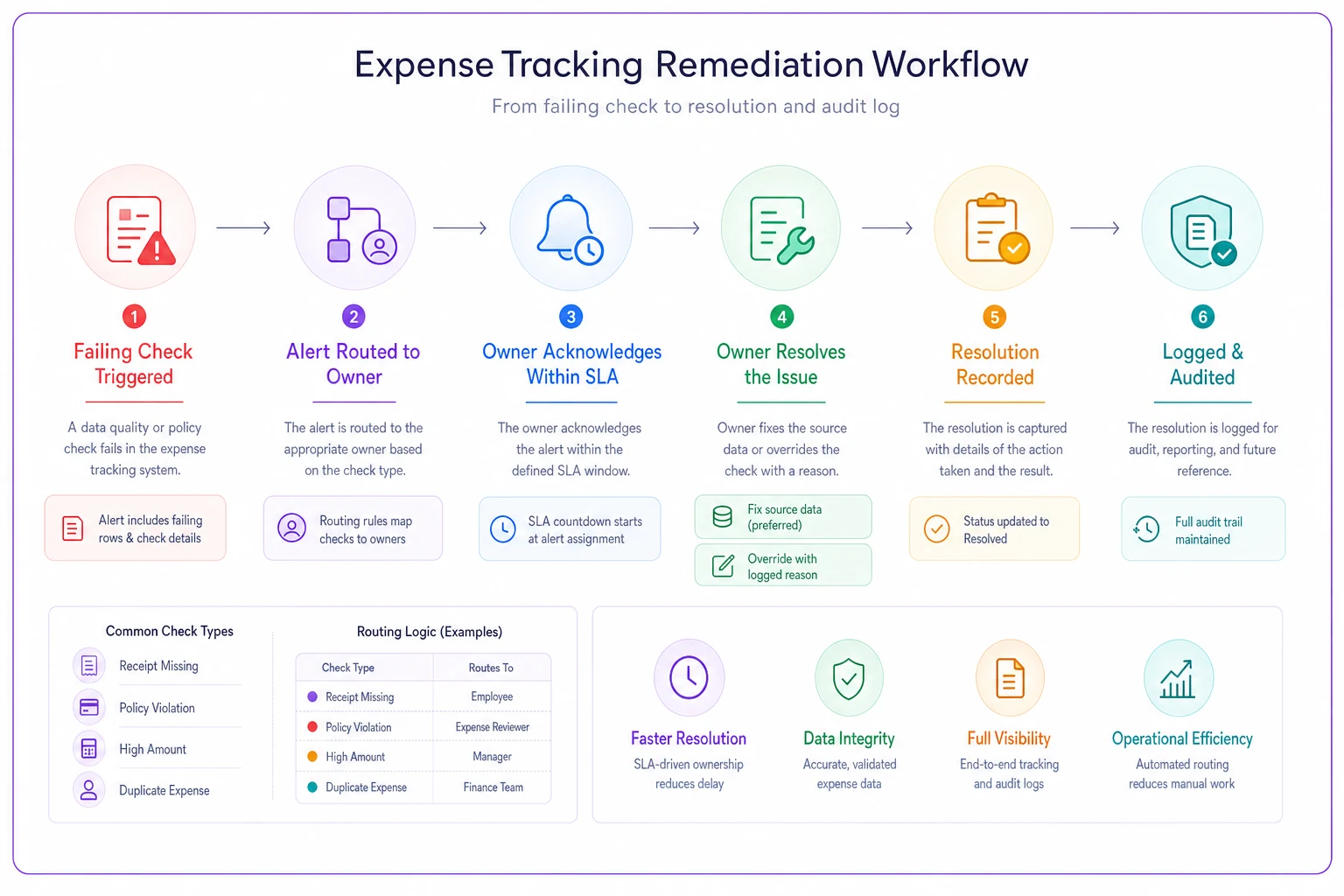
The override-with-reason step is the one people skip, and it's the most important. If someone can wave off a failing check without leaving a trace, you've built a system that trains people to wave off failing checks. A logged override turns "I'll ignore this" into "I accepted this risk because X"—which is a completely different behavior.
A minimal ownership and SLA matrix you can copy:
| Check | Owner role | Blocks load? | Ack SLA | Resolve SLA |
|---|---|---|---|---|
| Orphaned references | Master-data owner | Yes | 2 hrs | Same day |
| Controlled-value drift | Data owner | No | 4 hrs | Same day |
| Low-confidence OCR | Receipt QA | Yes (that row) | 4 hrs | 24 hrs |
| Missing file | Pipeline owner | n/a | 1 hr | Same day |
| Row-count anomaly | Pipeline owner | No | 4 hrs | Same day |
If someone can wave off a failing check without leaving a trace, you've built a system that trains people to wave off failing checks; a logged override turns that into an accepted risk with a reason.
A real scenario
A 12-person design agency was importing roughly 400–500 card expenses a month plus a few dozen reimbursements. Their close took about four days, and most of that was chasing numbers that didn't reconcile. The recurring culprits turned out to be exactly two things: a trickle of orphaned vendor rows after a messy vendor cleanup, and a handful of high-dollar OCR misreads each month that nobody caught until the credit card statement didn't match.
They added four checks—orphaned references, currency controlled-values, OCR confidence triage sorted by amount, and a row-count monitor—each routed to a specific person. Nothing fancy. Within two cycles, the orphan problem was getting caught at staging instead of at reconciliation, and the OCR triage queue was surfacing around 6–8 flagged receipts a month, usually one or two of which were genuinely wrong by a meaningful amount.
The close dropped from around four days to roughly a day and a half. The bigger win was less dramatic and harder to measure: finance stopped distrusting the reports. When the numbers are checked at the door, you stop re-verifying them at every step.
When this is worth it—and when it isn't
This suite makes sense when you're importing expenses from at least one automated source (card feed, OCR, or a connected app) and someone downstream relies on the numbers being right—reporting, reimbursements, client rebills. The more hands-off your pipeline, the more these checks earn their keep, because hands-off is exactly when silent failures accumulate.
When it's overkill: if you're a two-person shop entering 30 receipts a month by hand, you're already eyeballing every row. Formal tests add overhead without catching anything your manual review wouldn't. Same if your expense data never feeds anything beyond a tax filing once a year.
Who should not start here: if your underlying schema is unstable—field names change, keys aren't consistent, the same concept lives in three columns—fix that first. Observability tests written against a moving target just generate false alarms, and false alarms are how you kill a monitoring practice before it proves itself. Get the data model stable, then layer checks on top.
Rolling it out without boiling the ocean
Don't build all of this at once. Add the check that maps to your most recent painful surprise first—if your last bad month was an OCR misread, start there; if it was orphaned rows after a merge, start there. One check, one owner, one SLA. Let it run for a cycle, tune the threshold so it isn't noisy, then add the next.
-
- [ ] Week 1
delivery + row-count monitors (cheapest, catch the loudest failures)
-
- [ ] Week 2
referential integrity on vendor and employee IDs
-
- [ ] Week 3
controlled-value assertions on currency and status
-
- [ ] Week 4
OCR confidence triage with amount-weighted thresholds
-
- [ ] Ongoing
review override logs monthly to spot recurring upstream problems
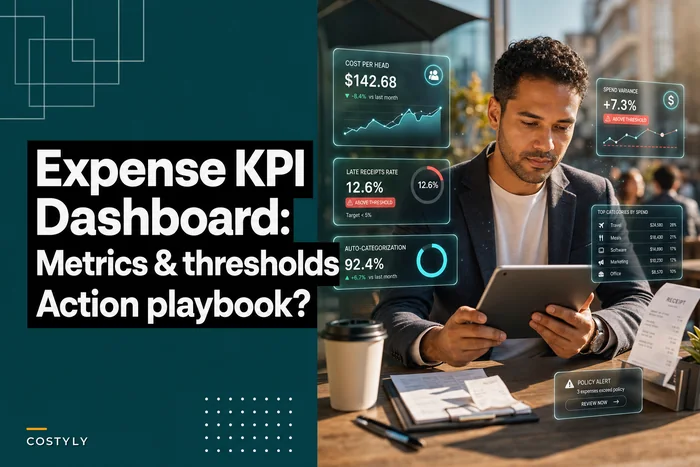
Once these checks are catching things reliably, the data feeding your reporting gets trustworthy enough to build on. That's when the metrics in an expense KPI dashboard actually mean something—because you know the inputs were validated before they ever reached the chart.
The whole point isn't to turn your finance team into data engineers. It's to make the handful of failures that reliably corrupt expense data loud, owned, and fast to fix—so the next broken export or bad OCR read gets caught at the door instead of three weeks later during a close nobody enjoys.
Ready to master your business expenses?
Join 5,000+ businesses using Costyly to save time, reduce overspending, and improve financial visibility.