

Most finance teams treat OCR like a black box. A receipt goes in, fields come out, and someone glances at the total before clicking approve. That works fine until you reconcile and discover a vendor name got read as "AMZN Mktp" on half the lines and "Amazon" on the other half, a $1,240 invoice got captured as $124.00, and three receipts from a gas station in Ohio are tagged to a conference in Austin.
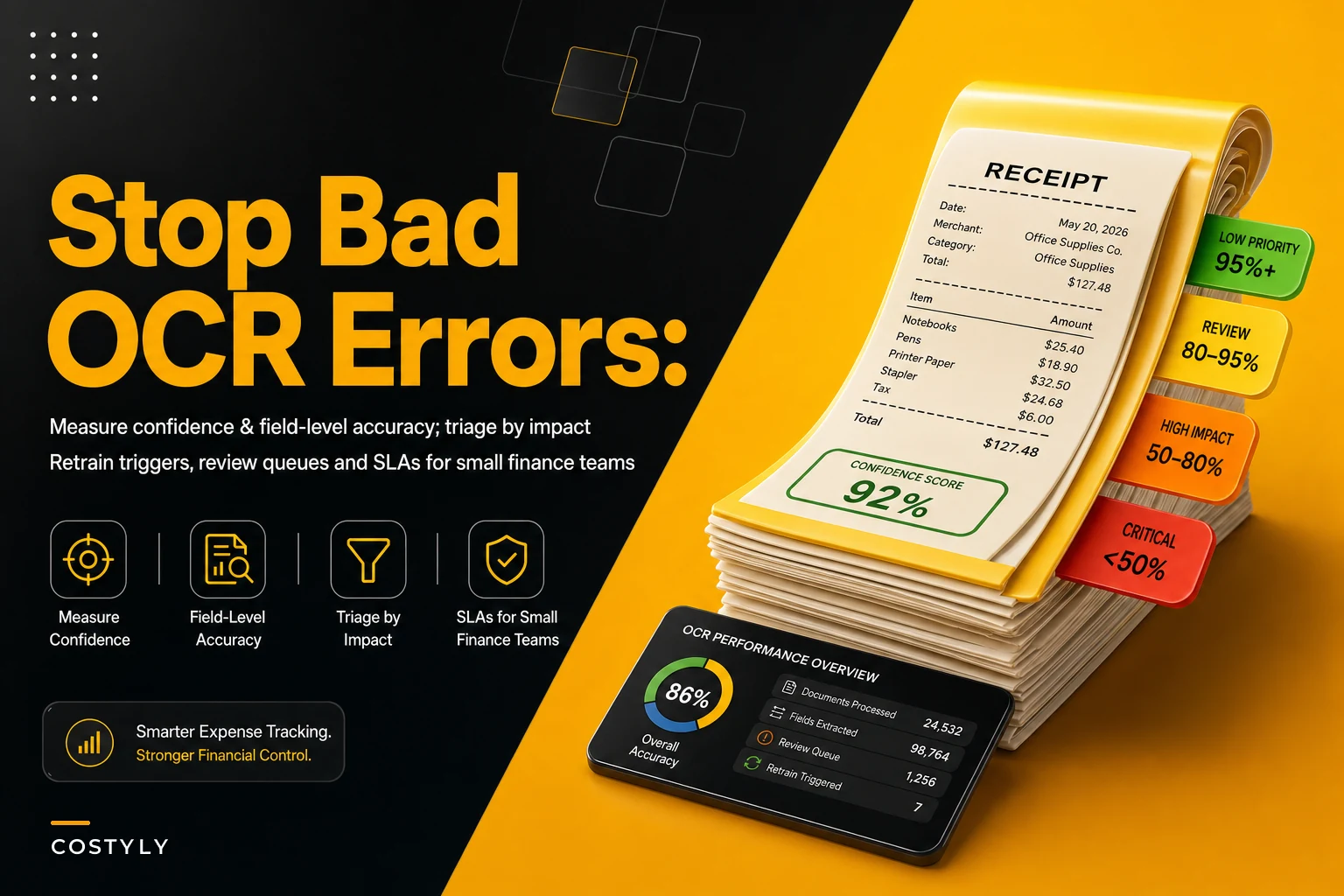
The frustrating part is that none of those errors were random. OCR fails in predictable patterns. Faded thermal receipts, handwritten tips, multi-currency totals, stacked line items, logos that confuse the layout engine — these produce bad reads over and over. If you're not measuring where and how often it breaks, you end up reviewing everything (wasteful) or reviewing nothing (dangerous). The whole point of receipt OCR quality management is to review the right 15% of documents instead of all of them or none of them.
This playbook walks through the signals worth tracking, how to triage receipts by actual financial impact, when a provider's degradation should trigger action, and what the review-queue schema and SLAs actually look like in practice.
Start by separating two kinds of "wrong"
Before you build any queue, you have to distinguish between two failure modes, because they get handled completely differently.
The first is low confidence — the OCR engine itself flags that it isn't sure. Maybe the image was blurry, maybe a field was partially cut off. The system is essentially telling you "I guessed." These are honest errors and they're relatively easy to catch because the engine hands you a confidence score.
The second is confident and wrong — the far more dangerous case. The engine reads a total of $89.00 with 98% confidence when the real number is $890.00 because a decimal smudged. No flag. No warning. It sails straight through to your books. These are the errors that cost real money, and you can only catch them with validation rules, not confidence scores.
A good triage system has to account for both. Confidence tells you where the engine is nervous. Validation logic tells you where the engine is overconfident. Without both working together, you'll miss the expensive half.
The signals actually worth measuring
There's a temptation to measure everything, which usually means you end up with a dashboard nobody looks at. A small finance team realistically needs maybe five or six signals that each map to a clear decision.
Stop losing track of your business spending.
Costyly helps you record, monitor & control expenses—accurately and efficiently.
- Automated expense categorization
- Real-time budget tracking
- Detailed financial reports
No credit card required
| Signal | What it tells you | How to use it |
|---|---|---|
| Field-level confidence | Engine's certainty on each field (not just the doc) | Route low-confidence totals and dates to review even if doc confidence is high |
| Field-level accuracy | How often a field is correct vs. your corrected ground truth | Tracks whether the provider is actually good at amounts vs. vendor names |
| Validation-rule failures | Hard logic breaks (total ≠ sum of lines, future date, negative tax) | Auto-flag regardless of confidence |
| Correction rate | % of documents a human edited after capture | Early warning that something upstream changed |
| Rejected/re-scan rate | % of images too poor to process | Points to a capture problem, not an OCR problem |
| Time-to-review | How long documents sit in a queue | SLA signal, not accuracy signal |
The one most teams skip is field-level accuracy, and it's genuinely the most useful. Document-level accuracy is almost meaningless. A receipt can be "95% accurate" while the total — the one field you actually care about — is wrong. What you want to know is: when this provider reads a total, how often is it right? When it reads a vendor, how often is it right? When it reads a tax line, how often is it right?
Those three numbers usually look very different from each other. In most setups, totals and dates come back strong, but vendor names and tax breakdowns are where accuracy quietly drops into the 80s. That tells you exactly where to point your humans.
Triage by impact, not by order of arrival
The biggest waste in receipt review is first-in-first-out. A $12 coffee receipt and a $4,800 equipment invoice land in the same queue and get the same attention. That's backwards.
-
Run validation rules first. Any hard failure — total doesn't match line sum, duplicate detection hit, future-dated, missing required field — goes straight to a high-priority queue no matter what the confidence score says.
-
Pull field-level confidence on the money fields. Low confidence on total, tax, or currency pushes a document up a tier.
-
Layer in dollar thresholds. Anything above a materiality line — say $500 for a lot of small teams — gets reviewed even at high confidence, because confident-and-wrong on a big number is the nightmare case.
-
Check vendor and category risk. New vendors, foreign-currency receipts, and reimbursable or client-billable items carry more downstream consequences, so they get bumped up.
-
Everything else flows to a low-touch queue that's reviewed in batches or sampled, not checked one by one.
Start with a conservative dollar threshold and lower it if your P1 volume is consistently small; it's easier to tighten than to unpick a burned-out team.
The practical outcome: a $14 receipt with 99% confidence and clean validation never touches a human. A $3,000 invoice from a brand-new vendor with a tax line the engine wasn't sure about lands at the top of the review pile within minutes.
This is also where clean category mapping matters. If your downstream rules are a mess, even perfectly captured receipts get misfiled — which is why it's worth pairing OCR QA with maintainable smart rules to auto-categorize expenses. OCR gives you the right data; categorization rules put it in the right place.
A review-queue schema you can actually build
You don't need a complicated system. You need a table (or a few linked tables) with enough fields to route, prioritize, and audit. Here's a stripped-down schema that covers what small teams actually use:
-
document_id — unique key
-
source — email, mobile upload, scan batch
-
doc_confidence — overall engine score
-
fieldconfidencejson — per-field scores for total, date, vendor, tax, currency
-
validation_flags — array of failed rules
-
amount — captured total
-
currency
-
priority_tier — computed (P1/P2/P3)
-
queue — which review bucket it landed in
-
status — unreviewed / in review / corrected / approved / rejected
-
reviewer_id
-
correctedfieldsjson — what the human changed (this is your gold for accuracy tracking)
-
timecaptured / timeresolved — for SLA math
The field that earns its keep over time is correctedfieldsjson. Every time a human fixes a value, you're generating labeled ground truth for free. Aggregate that monthly and you get real field-level accuracy numbers — "vendor name was corrected on 17% of documents last month" — instead of guessing at them. That's the kind of data that makes a support conversation with your OCR provider go somewhere useful.
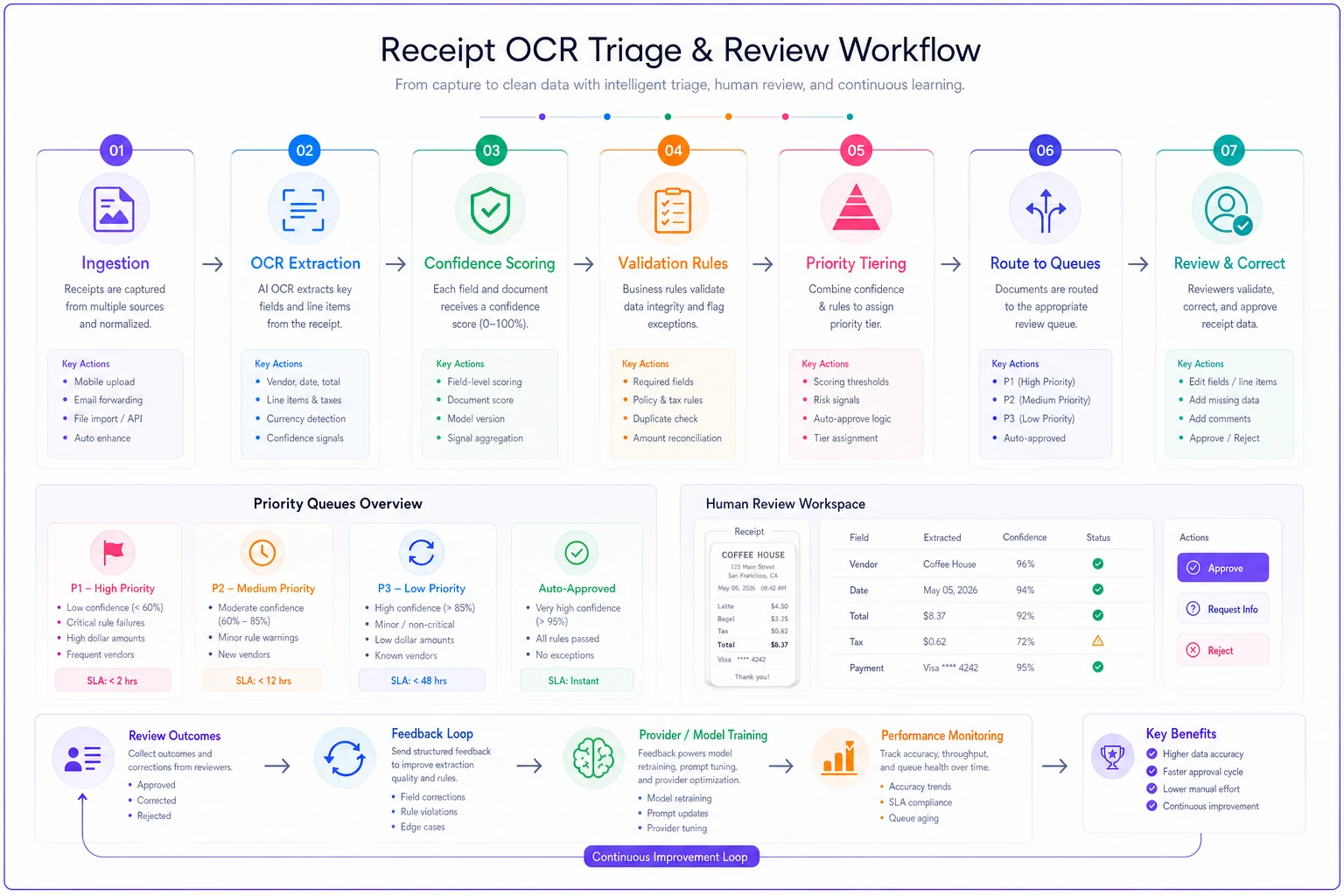
A simple diagram like this helps teams align on where each decision point lives in the flow.
If you're setting up the data structure for the first time, it's worth getting the surrounding model right so OCR output flows cleanly into everything downstream. The expense data model checklist for SMB integrations covers how these fields should connect to your ledger and reporting without creating rework later.
SLAs that match the stakes
A single SLA for all receipts doesn't work. The equipment invoice can't wait three days, and nobody should lose sleep over a batch of lunch receipts. Tie your SLAs to the priority tier.
-
P1 (validation failure or high-dollar + low confidence) reviewed same business day, ideally within a few hours.
-
P2 (medium dollar, moderate confidence, new vendor) reviewed within one business day.
-
P3 (low dollar, high confidence, clean validation) batch-reviewed weekly or sampled, not reviewed individually.
The trap here is setting SLAs you can't actually staff. If 40% of your receipts are landing in P1, your rules are too aggressive and your team will burn out — then start rubber-stamping, which defeats the whole system. In a healthy setup, P1 is usually single digits as a percentage of total volume. If it's not, your validation thresholds need tuning, not your people.
Knowing when your provider is getting worse
This is the part almost everyone misses. OCR providers change models, update pipelines, and tweak things without telling you. Accuracy drifts, and because each individual error looks like a one-off, nobody notices until the correction rate has quietly doubled.
-
Correction rate jumps. If your rolling 30-day vendor-field correction rate goes from around 12% to around 22% with no change in your document mix, something upstream shifted. Investigate before you assume it's your scanners.
-
A specific field degrades. Totals were 97% accurate last quarter, now they're 91%. That's not noise — that's a pattern worth raising with the provider.
-
A document type spikes. Foreign-currency receipts or a particular vendor's new invoice template suddenly flooding the review queue usually means a layout the engine never learned.
-
Confidence stays high while accuracy drops. The scariest combination. The engine got more confidently wrong, which almost always means a model update happened behind the scenes.
For teams with a custom or trainable model, these same triggers tell you when to feed corrected samples back in for retraining. For teams on an off-the-shelf provider, they tell you when to open a support ticket with evidence instead of a vague complaint. "Your total-field accuracy on multi-page invoices dropped 6 points over three weeks, here are 40 examples" gets a very different response than "your OCR seems worse lately."
A real scenario
A small construction subcontractor — around 11 people, heavy on supplier receipts — was processing roughly 600–700 receipts a month. Their process was one bookkeeper eyeballing every single document, which ate the better part of two days each month and still let errors through. During one quarter they caught a duplicated $2,900 lumber invoice only because a vendor called about a double payment.
They rebuilt the flow around triage instead of brute force. Validation rules caught total-vs-line mismatches automatically. Field confidence on amounts combined with a $500 dollar threshold defined the P1 queue. Everything low-dollar and high-confidence dropped into a weekly sampled batch.
The result wasn't dramatic in a flashy way, but it was real: the bookkeeper went from reviewing around 650 documents to closely reviewing around 90–110, review time dropped from roughly two days to about half a day, and the kinds of confident-but-wrong total errors they used to miss started getting caught at capture. Correction tracking also surfaced that one supplier's new receipt format was failing constantly — something they'd never have spotted reviewing one receipt at a time.
When this level of rigor makes sense — and when it doesn't
When it's worth it: You're processing more than a couple hundred receipts a month, you have meaningful high-dollar documents mixed in with small ones, or you've already been burned by a capture error hitting the ledger. The moment manual review of everything starts eating real hours, triage pays for itself.
When it's overkill: You're a two-person shop doing 30 receipts a month. Just review them all — building queues and SLAs for that volume is more work than the work itself.
Who should hold off: If your underlying expense data is already a tangled mess, fix that first. Layering OCR QA on top of chaotic historical data is like installing a smoke detector in a house that's already on fire. The prioritized cleanup recipe for messy expense history is the better starting point — get the foundation clean, then build the quality system on top of it.
The thing to remember
Bad OCR doesn't usually ruin your books in one big dramatic error. It does it through small, confident mistakes that nobody reviews because everything looked fine on the screen. The teams that stay clean aren't the ones with the fanciest OCR — they're the ones who measure field-level accuracy, route by impact, and actually notice when the numbers drift.
You don't need to review more. You need to review better, and let confidence scores, validation rules, and a sensible queue decide where your attention goes. Set the thresholds, track your corrections, watch for drift, and the receipts that actually matter will rise to the top on their own.
Ready to master your business expenses?
Join 5,000+ businesses using Costyly to save time, reduce overspending, and improve financial visibility.