

Most finance teams treat audit prep like a seasonal event. Everything hums along for ten months, then somebody announces the review is coming and three people spend two weeks chasing receipts, re-asking vendors for W-9s, and reconstructing why a $4,100 charge was approved by someone who left the company in March.
That pattern isn't an audit problem. It's a workflow problem. The evidence you need during an audit is generated continuously — every approval, every receipt upload, every category change — but almost nobody captures it at the moment it happens in a structured way. So it gets reconstructed later, badly, from memory and email threads.
The fix isn't "do audits more often." It's embedding automated audit evidence for expenses directly into the flows people already run, so the proof is captured as a byproduct of normal work. By the time anyone asks for it, it already exists. This article is about how that system actually fits together across the whole expense operation — where it breaks, what changes as you grow, and how to test that it works.
Why audit evidence goes missing in the first place
Almost everyone gets this wrong in the same way: they think of evidence as documents. Receipts, invoices, approval emails. But audit-grade evidence is really three separate things, and teams usually only capture one of them well.
-
The artifact — the receipt, invoice, or contract
-
The context — who approved it, under what policy, against which budget, when
-
The chain — the sequence of events proving nothing was altered after approval
In most small operations, the artifact gets uploaded (sometimes), the context lives in someone's head, and the chain doesn't exist at all. When a $9,800 consulting invoice gets questioned eight months later, you can find the PDF — but you can't prove when it was approved relative to the work being delivered, or whether the amount changed between submission and payment.
A typical example looks like this: an expense gets submitted for $2,340, the approver asks the employee to split it across two cost centers, the employee edits the amount and resubmits, and the original line quietly disappears. The final record looks clean. The problem is that "clean" and "auditable" are not the same thing. A clean record with no history is actually a red flag to an auditor, because it means edits leave no trace.
What breaks across businesses isn't sloppiness — it's that the evidence requirements live in one person's head (usually the controller) and the data capture happens in a different system that doesn't know those requirements exist.
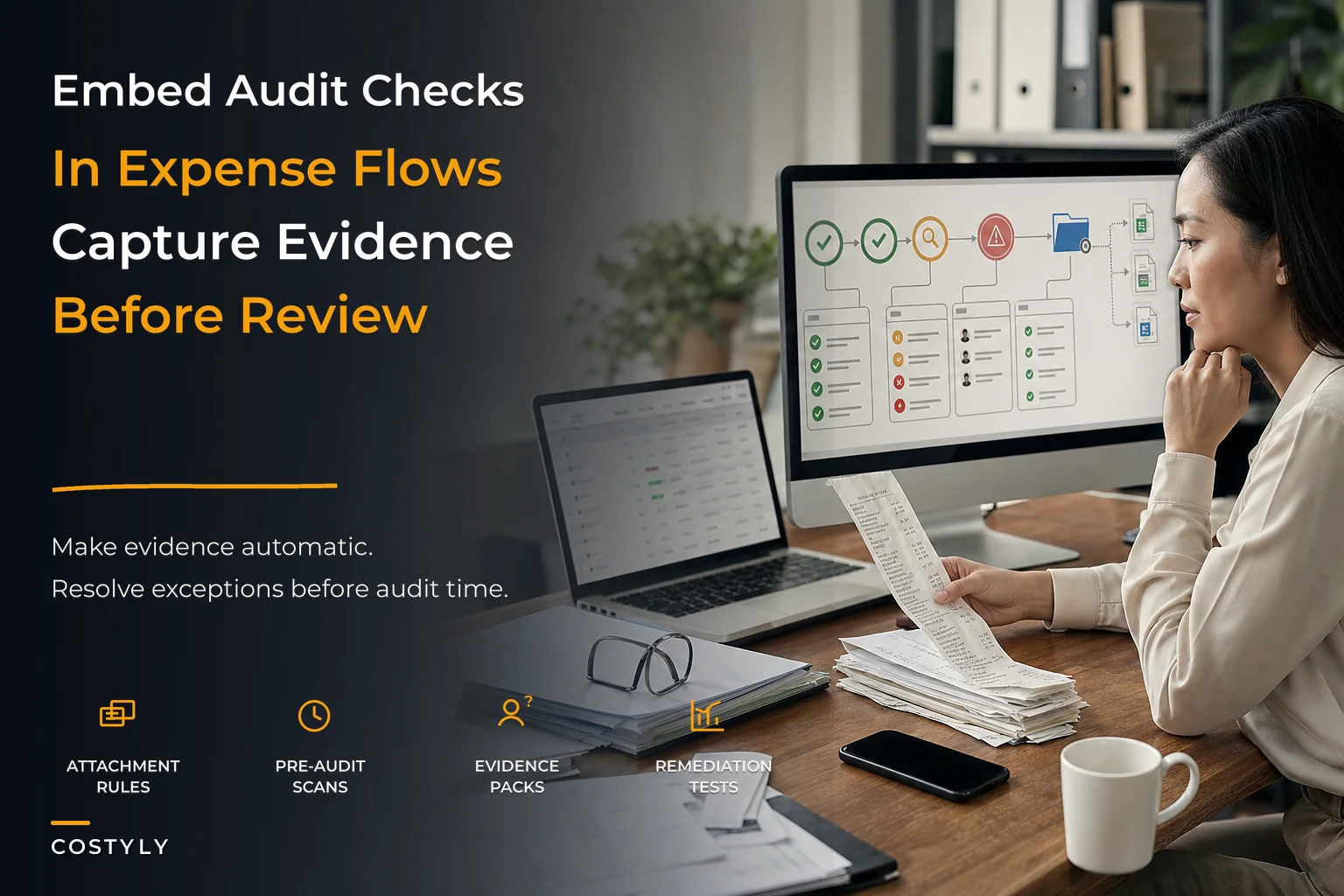
The three building blocks: attachment rules, pre-audit scans, auto-export templates
If you want evidence to accumulate on its own, you need three mechanisms wired into daily flows. These aren't big projects. They're rules that run quietly in the background.
Stop losing track of your business spending.
Costyly helps you record, monitor & control expenses—accurately and efficiently.
- Automated expense categorization
- Real-time budget tracking
- Detailed financial reports
No credit card required
1. Attachment rules (evidence capture at the point of entry)
Attachment rules decide what proof is mandatory before a transaction can move forward, based on the characteristics of the transaction itself. Not a blanket "always attach a receipt" — that's where teams lose people, because they apply the strictest rule to a $6 coffee and the loosest rule to a $12,000 contract.
| Transaction type | Required evidence | Blocked until provided? |
|---|---|---|
| Expense under $25 | None (policy de minimis) | No |
| Expense $25–$500 | Itemized receipt | Soft block (flagged, not stopped) |
| Expense over $500 | Itemized receipt + business purpose note | Hard block |
| New vendor payment | W-9/tax form + banking verification | Hard block |
| Contract/retainer | Signed agreement + approval reference | Hard block |
| Travel over $1,000 | Receipt + pre-trip approval link | Hard block |
The insight most teams miss: the hard block matters more than the reminder. If a transaction can proceed without its evidence, someone will always promise to "add it later," and later never comes. The attachment rule has to live at the gate, not as a nag that fires afterward.
2. Rule-based pre-audit scans (continuous, not seasonal)
A pre-audit scan is a set of checks that run on your expense data on a schedule — weekly is a good starting cadence — looking for exactly the things an auditor would flag. The point is to find and fix problems while they're still cheap to fix, instead of discovering 140 of them during the actual review.
-
Transactions over threshold missing required attachments
-
Approvals where approver = submitter (self-approval)
-
Amounts edited after approval timestamp
-
Vendor payments to accounts not matching the vendor master record
-
Duplicate invoice numbers across different dates
-
Round-number charges over $1,000 (not always wrong, but worth a look)
-
Expenses coded to a category that doesn't match the vendor's usual pattern
-
Receipts with dates outside the expected submission window
The operational trick here is to treat scan results as a small weekly worklist, not a report. A report gets skimmed and ignored. A worklist of 6–9 items that someone has to resolve before Friday actually gets cleared. If you're already thinking about how rule changes roll out safely, this ties directly into a proper expense change-control playbook for safe rule deployments — because a scan rule that's too aggressive will bury your team in false positives and they'll stop trusting it.
Treat scan results as a short, actionable weekly worklist rather than a long report.
3. Auto-export templates (evidence packaged the way auditors want it)
The last mile is assembly. Even teams with good records lose days because the auditor asks for "all transactions over $5,000 in Q2 with supporting documents and approval trails," and that means someone exports a spreadsheet, then manually pulls 60 PDFs, then renames them, then zips them.
An auto-export template pre-defines these packages: the transaction fields, the attached artifacts, the approval history, and the file naming convention — all bundled on demand. You define the format once, matched to what your auditor or tax authority actually requests, and regenerate it whenever asked.
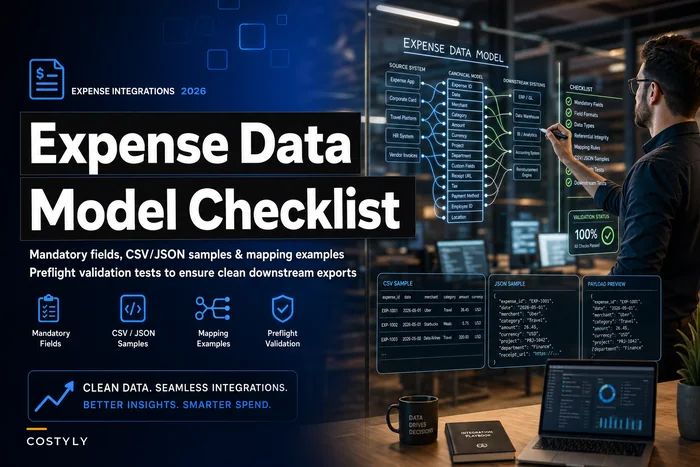
This is also where your underlying expense data model for integrations and downstream systems pays off. If your fields are inconsistent — three different ways of writing the same vendor name, approval dates stored as free text — no export template can rescue you. The export is only as clean as the data model feeding it.
How these pieces connect across the whole operation
Individually, each mechanism is useful. The real value shows up when you see them as one continuous chain that mirrors how spend actually flows:
Submission → attachment rule fires → transaction can't advance without evidence → approval recorded with timestamp and approver identity → pre-audit scan reviews the record within days → anomalies routed to a worklist → resolved items feed a clean dataset → auto-export assembles audit-ready packages on demand.
Notice what this does to the timeline. In the old model, evidence quality is only tested once a year, under pressure, when fixing anything is expensive. In this model, every transaction gets quietly checked within a week of happening, when the submitter still remembers the context and the vendor still answers emails.
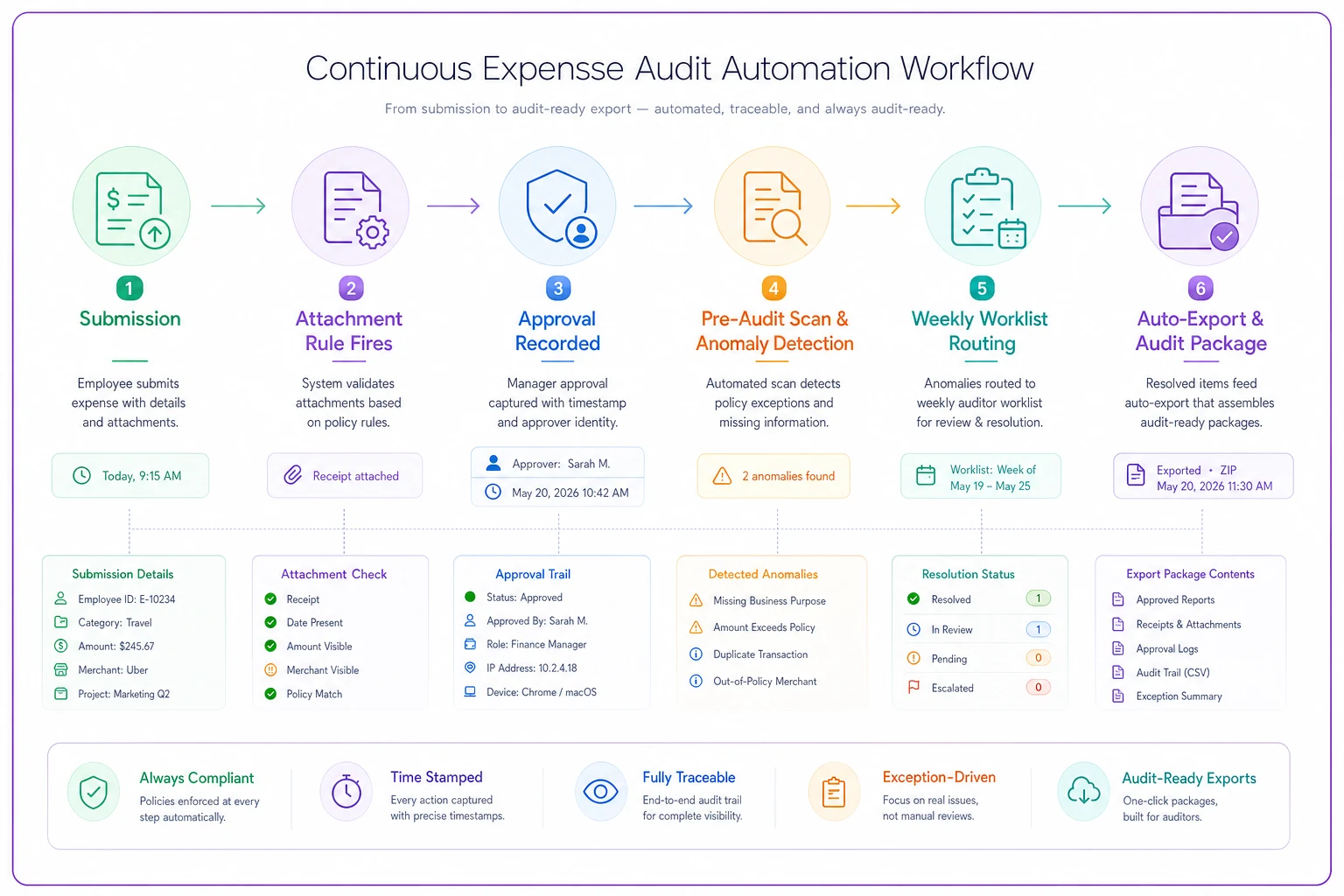
This shows the end-to-end flow and where evidence is captured and checked.
That shift — from annual to continuous — is the whole game. A missing W-9 discovered three days after a vendor's first payment is a two-minute fix. The same gap discovered eleven months later, after you've paid them $40k, is a scramble and possibly a penalty.
This is also why audit automation can't be bolted onto a weak foundation. Your expense security and retention framework determines whether the evidence you capture is actually admissible later — retention periods, access controls, and tamper-evidence all feed into whether an auditor trusts your chain at all.
Sample validation tests (prove the system actually works)
Here's the part teams skip. They build attachment rules and scans, assume they're working, and never test them. Then during a real audit they discover the rule had a gap for a transaction type nobody thought about.
-
Attachment bypass test. Submit a test transaction over your hard-block threshold with no receipt. Confirm it cannot advance. If it can, your gate has a hole.
-
Self-approval test. Have someone submit and attempt to approve their own expense. Confirm the scan flags it (or the workflow blocks it).
-
Post-approval edit test. Approve a transaction, then change the amount. Confirm the edit is logged with a timestamp and the original value is preserved.
-
Vendor mismatch test. Enter a payment to a bank account that doesn't match the vendor master. Confirm the scan catches it.
-
Duplicate invoice test. Submit the same invoice number twice on different dates. Confirm it surfaces.
-
Export completeness test. Request an auto-export for a known set of transactions. Manually verify that every expected artifact and approval record is present — not just the line items.
-
Retention test. Try to pull a transaction and its evidence from the oldest period you're required to keep. Confirm it's there and intact.
If any test fails, you've found a gap before an auditor did. That's the entire point. A validation test that passes is reassuring; one that fails just saved you.
Remediation playbooks (what to do when a scan lights up)
Finding problems is easy. The teams that stay sane are the ones who decided in advance what each type of finding means and who handles it. Without that, every scan result turns into an ad-hoc debate.
-
Missing attachment over threshold → Auto-notify submitter, 48-hour window to provide, escalate to manager if unresolved, flag for write-off review if evidence truly can't be produced.
-
Self-approval detected → Route to the correct independent approver retroactively, note the exception, review whether the approval matrix has a gap.
-
Post-approval edit → Require a documented reason; if the reason is weak, reverse and resubmit through normal flow.
-
Vendor/bank mismatch → Freeze payment, verify banking details through an independent channel (not the email that requested the change), update vendor master only after confirmation.
-
Duplicate invoice → Hold the second payment, confirm with vendor, document which was the valid charge.
Worth internalizing: a finding isn't resolved when it's explained. It's resolved when the underlying gap is either fixed or formally accepted as an exception with a note. Explanations that don't change anything just mean the same finding shows up next week.
A real scenario
A regional landscaping company with about 18 employees and two seasonal crews ran everything through a shared company card and a shoebox-and-spreadsheet system. Their bookkeeper spent roughly 20–25 hours each quarter reconstructing receipts and chasing crew leads for missing documentation. When their lender requested a mid-year review, the gap was ugly: around 90 transactions over $500 had no supporting receipt, and several vendor payments couldn't be matched to any tax form on file.
They didn't overhaul anything dramatic. They put a hard-attachment rule on anything over $500, set up a weekly pre-audit scan that flagged missing docs and self-approvals, and built one export template matched to what their lender asked for.
Within about two quarters, the weekly missing-document flag count dropped from the teens down to one or two most weeks — caught and cleared while fresh. The bookkeeper's quarter-end reconstruction work fell to roughly 5–6 hours, mostly review instead of archaeology. When the next lender review came, the export took an afternoon instead of two weeks. Nobody called it a transformation. It just stopped being painful.
When this makes sense — and when it doesn't
When it makes sense: You're processing enough monthly volume that reconstruction is genuinely painful — usually somewhere north of 100–150 transactions a month — you have external parties who ask for evidence (lenders, investors, tax authorities, grant funders), or you've been burned by a surprise review before. Growing teams hit this wall fast, because the controller who used to hold all the context in their head stops being able to.
When it's a bad idea: If you're doing 20 transactions a month and one person touches all of them, a full scanning apparatus is overkill. You'll spend more time maintaining rules than they save. Capture receipts, keep them organized, and move on.
Who should not rush into this: Teams whose underlying data is still a mess. Automated scans running on inconsistent vendor names and free-text approval fields produce noise, not signal. Fix the data model first. A scan that cries wolf 40 times a week trains everyone to ignore it — which is worse than no scan at all.
Where tooling fits (briefly)
You can build a lot of this manually — conditional checklists, a weekly spreadsheet review, a saved export format. Plenty of small teams do, and it works until volume outpaces attention. The reason platforms exist is that attachment rules at the gate, scheduled scans, immutable edit history, and one-click export templates are tedious to maintain by hand and easy to let slip.
Software that captures the evidence chain automatically — including who changed what and when — removes the human memory dependency that causes most audit gaps in the first place. But the tool is downstream of the design. If you haven't decided what evidence each transaction type requires and what each anomaly means, no platform will decide it for you.
The shift worth making
The real change here isn't technical. It's moving audit evidence from something you produce under pressure to something you accumulate automatically while normal work happens. Attachment rules make the proof mandatory at the moment it's cheapest to capture. Pre-audit scans surface problems while they're still small and fixable. Export templates turn assembly from a two-week project into an afternoon.
Teams that make this shift stop thinking about audits as events at all. The evidence is already there, already checked, already organized. The review becomes a formality instead of a fire drill — and that's exactly how it should feel when the system is doing its job in the background while everyone else gets on with running the business.
Teams that make this shift stop thinking about audits as events at all. The evidence is already there, already checked, already organized. The review becomes a formality instead of a fire drill — and that's exactly how it should feel when the system is doing its job in the background while everyone else gets on with running the business.
Ready to master your business expenses?
Join 5,000+ businesses using Costyly to save time, reduce overspending, and improve financial visibility.