

Most small teams don't need purchase orders. They need to stop the same three problems from repeating: someone bought something nobody approved, finance can't match an invoice to anything real, and a "new vendor" turns out to be a slightly different spelling of one you already pay. Full procure-to-pay software solves problems you don't have yet and adds friction your team will route around by Friday.
What actually works is a lighter version—enough structure to catch the expensive mistakes, not so much that people go back to buying things on their personal card and expensing it later. That's what procure-to-pay lite means for a small business: a one-page request, a short list of vendor facts you collect once, and a couple of matching rules that stop bad invoices before they get paid.
Where the money actually leaks in a no-PO shop
Before adding any process, it helps to understand where the losses come from, because it changes what you build.
The single biggest one isn't fraud—it's duplicate and unmatched invoices. A vendor sends invoice #4471. It sits in someone's inbox. Two weeks later they send a "past due" reminder with a new number, #4471-R, because their system generated a fresh document. Someone pays both. On a business doing 40–60 invoices a month, this happens two or three times a quarter, and each miss is real cash that's painful to claw back.
Second is scope creep on approved spend. A manager approves "new laptop, around $1,400." What arrives is a laptop plus a docking station plus AppleCare, invoiced at $2,180. Nobody lied. There was just no number to check the invoice against, so the extra $780 slides through.
Third is vendor onboarding done at the worst possible time—when an invoice is already overdue. Now you're collecting banking details, a W-9, and a remittance address while someone's pushing you to pay fast. That urgency is exactly when wire fraud and typo'd account numbers get through.
The pattern underneath all three is the same: buying decisions and payment decisions happen at different times, handled by different people, with nothing connecting them. PO-lite is just that connective tissue—thin, but present.
The one-page purchase request (and why one page is the whole point)
Every time a request form grows past one screen, submission rates drop and people start "asking in Slack" instead. The goal is a form someone can fill out in under two minutes from their phone.
Stop losing track of your business spending.
Costyly helps you record, monitor & control expenses—accurately and efficiently.
- Automated expense categorization
- Real-time budget tracking
- Detailed financial reports
No credit card required
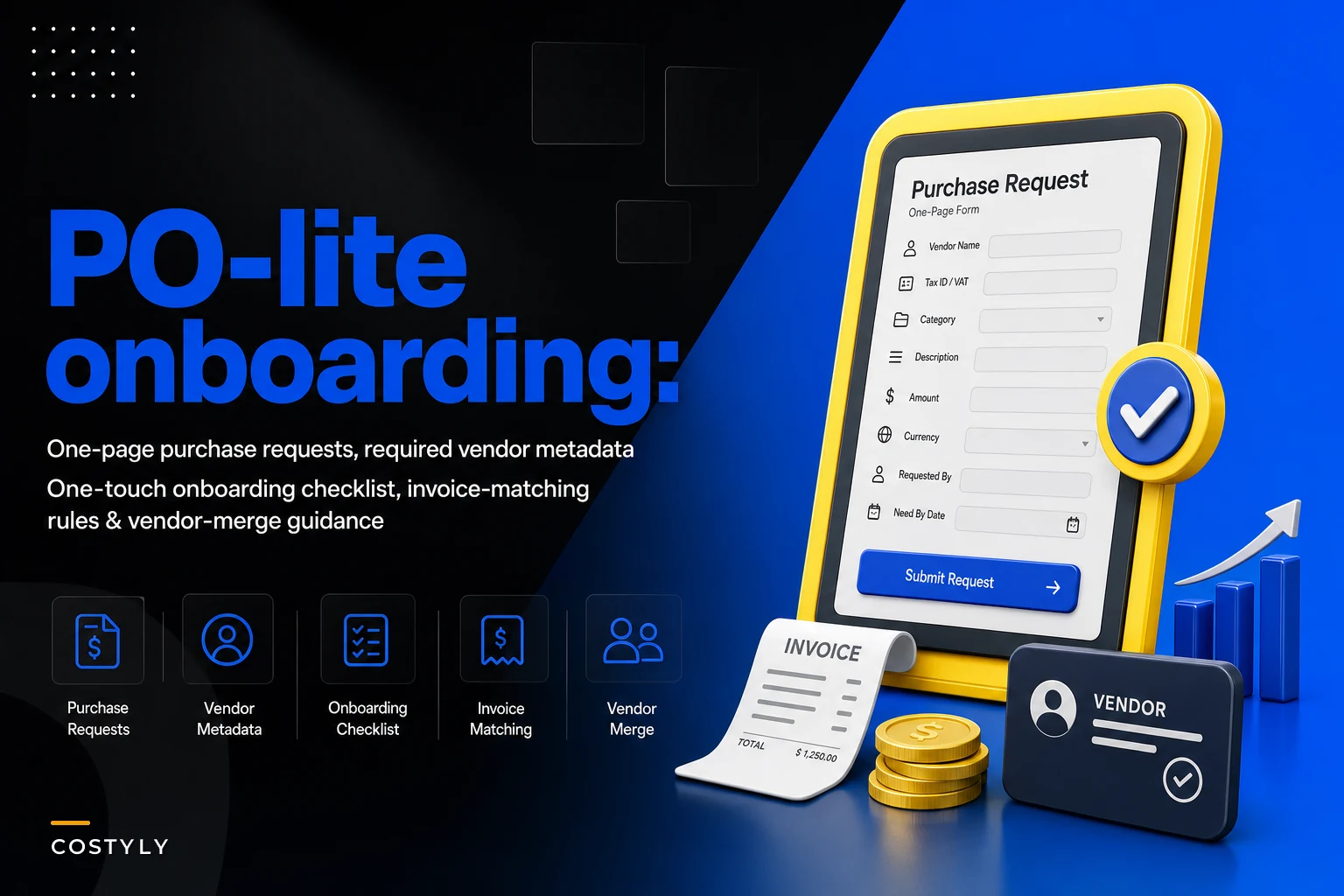
Here's what actually needs to be on it:
-
Who's asking and which team/cost center it belongs to
-
What they're buying, in plain language, plus a link or quote if one exists
-
Expected cost (a number or a tight range—"$1,200–$1,500")
-
Vendor name, with a note if it's someone new
-
Category (maps to your chart of accounts—more on that below)
-
Need-by date, because urgency drives approval routing
That's it. No project codes nobody remembers, no five-field justification essay. The estimated cost is the field that does the heavy lifting later—it becomes the number your invoice gets checked against.
One thing worth calling out: make "is this a new vendor?" a yes/no toggle, not an open field. When it's a toggle, a "yes" can trigger onboarding immediately, before anything gets ordered. When vendor info is buried in a free-text box, onboarding gets skipped and you're back to collecting bank details under a past-due deadline.
Make the new-vendor toggle required so onboarding can't be skipped.
If your approvals still route by gut feel or by whoever's around, the request form is only half the fix. Pairing it with a real routing structure—thresholds, backups, response times—is covered in depth in our approval matrix and SLA playbook, and it's worth reading alongside this.
Required vendor metadata: collect it once, use it forever
The reason vendor files are a mess in most small businesses is that nobody decided what a complete vendor record looks like. So each record has whatever the person who set it up happened to type.
Define the minimum fields, mark them required, and don't create a payable vendor until they're all filled. Here's a workable minimum:
| Field | Why it matters | Common failure if missing |
|---|---|---|
| Legal name + DBA | Matches contracts and tax docs | Payments to a name that doesn't match the bank |
| Tax ID / W-9 (or W-8) | Required for year-end filing | Scramble every January to chase forms |
| Remittance address | Where checks/notices go | Payments returned or lost |
| Bank / payment details | Enables ACH/wire | Last-minute detail collection = fraud risk |
| Default category / GL code | Speeds coding and matching | Inconsistent categorization on every invoice |
| Payment terms | Governs due dates | Paying net-15 vendors like they're net-30 |
| Primary contact + email | Dispute resolution | No one to call when an invoice is wrong |
The one people skip most often is default category / GL code, and it saves the most downstream time. When a vendor has a default category, every invoice from them starts pre-coded and you only override the exceptions. If you haven't nailed down how your categories line up with your books yet, our guide on mapping expense categories to your chart of accounts walks through the templates and preflight checks that make this stick.
One rule that prevents a lot of pain: bank detail changes should require a second person to verify by phone, using a number you already have on file—not one from the change-request email. The most common invoice fraud against small businesses isn't a fake vendor; it's a real vendor's "updated banking info" that came from a spoofed address.
One-touch vendor onboarding checklist
Onboarding should be a single, repeatable sequence that fires the moment someone flags a new vendor on a request—not something you improvise later. Run it in this order:
-
Send the intake request for W-9/W-8, remittance address, and banking details—before any order is placed.
-
Verify the entity with a quick sanity check
does the legal name match the domain, the quote, and the bank name?
-
Set payment terms and default category based on what they're selling.
-
Confirm banking details out-of-band (phone call to a known contact) if payments will be ACH/wire.
-
Create the vendor record only after steps 1–4 are complete.
-
Set a spend expectation—one-off, or recurring—so future invoices route correctly.
The discipline that makes this "one-touch" is simple: the vendor can't receive a payment until the record is complete. No half-built vendors. The temptation is always to create the record fast so you can cut a check, then "clean it up later." Later never comes, and you end up with 200 vendors and reliable data on maybe half of them.
New Vendor Flagged on Request ↓ Intake Sent (W-9, banking, remittance) ↓ Entity Verification (name, domain, bank match) ↓ Payment Terms + Default GL Code Set ↓ Banking Details Confirmed Out-of-Band ↓ Vendor Record Created (all fields complete) ↓ Spend Type Noted (one-off vs. recurring) ↓ Vendor Active — Payments Enabled
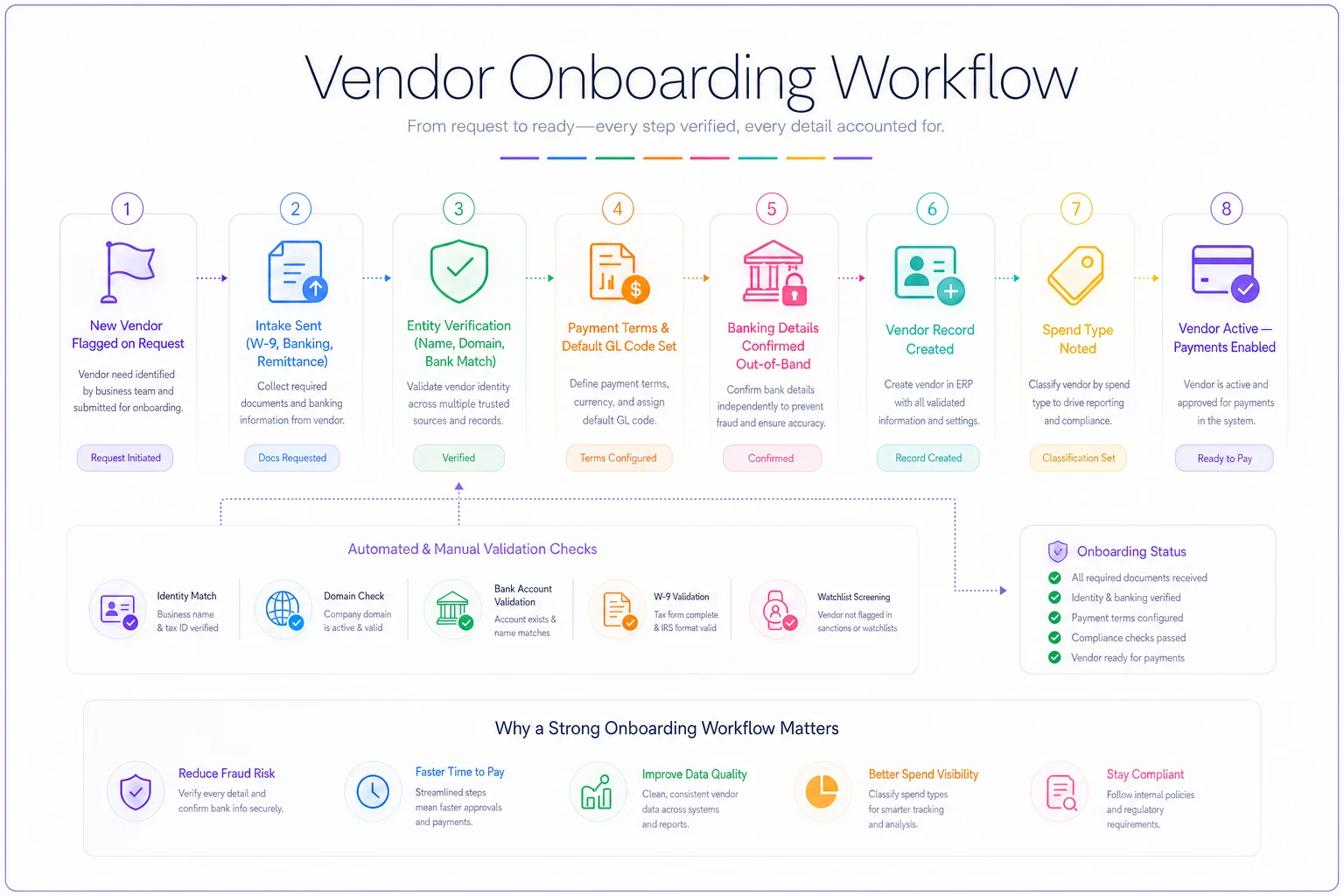
A quick visual of this flow helps make the steps obvious and repeatable.
When PO-lite is overkill
-
Recurring, contracted spend you've already approved (rent, known SaaS, utilities)
-
Tiny purchases under a threshold you set—say $75 or $100
-
Reimbursements, which run on a different workflow entirely
Forcing a request form on a $12 domain renewal just trains people to hate the system. Set a floor and mean it.
When it's genuinely worth the friction
-
Any new vendor, at any dollar amount (that's about fraud and data, not size)
-
Purchases above your approval threshold
-
Anything where the invoice is likely to differ from the estimate (custom work, hourly services, hardware bundles)
Those are the cases where the small amount of added friction pays back quickly.
Invoice matching rules that fit a small team
You don't need three-way matching (PO, receipt, invoice) unless you're moving physical inventory. For most small teams, a two-point match does the job: match the invoice against the approved request.
Set tolerance so you're not blocking payments over pennies:
-
Exact vendor match required (this is where duplicate detection lives)
-
Amount within tolerance
auto-clear if the invoice is within 5% or $50 of the approved estimate, whichever is larger
-
Over tolerance routes back to the original approver for a quick yes/no
-
No matching request flags for review before payment—no exceptions
A concrete example. A marketing consultant is approved at "$3,000 for the month." Their invoice comes in at $3,120—that's 4%, inside tolerance, auto-clears. Next month it's $4,400. That's way over; it routes back, and the approver catches that extra hours were billed that nobody signed off on. Without the rule, that $1,400 just gets paid.
Duplicate detection is the highest-ROI rule of the set. Flag any invoice where the vendor + amount + date are close to an existing one, even if the invoice number differs. Those "-R" and "REV2" resends are the ones that quietly get paid twice.
Vendor merge guidance: fixing the duplicates you already have
Even a clean process inherits a messy vendor list. "Acme Inc," "Acme, Inc.," and "ACME" are three records paying one company, and your spend-by-vendor reports are wrong because of it.
Merging isn't hard, but doing it carelessly breaks history. A safe approach:
-
Group suspected duplicates by normalized name and tax ID—tax ID is the strongest signal, since names vary but the ID shouldn't.
-
Pick a survivor record, ideally the one with complete metadata and the most transaction history.
-
Reassign, don't delete—repoint the duplicate's invoices and payments to the survivor so history stays intact.
-
Archive the losing records rather than hard-deleting, in case you need the audit trail.
-
Set the survivor's default category and terms so the merged vendor behaves correctly going forward.
The mistake to avoid: merging two records that share a name but are actually different entities (a franchise location vs. corporate, for instance). Always confirm on tax ID before combining, not just the display name.
A real scenario
A 14-person design-build firm was running everything through email and two shared cards. No request form. Vendors got created whenever an invoice showed up. Over a year they'd accumulated around 180 vendor records for roughly 120 actual vendors, and their bookkeeper flagged at least three double-paid invoices they could confirm—probably a few more they couldn't.
They rolled out a one-page request form with a new-vendor toggle, defined seven required vendor fields, and added two matching rules: duplicate detection and a 5%/$50 tolerance check against the approved estimate. Nothing fancy.
Over the next two quarters, duplicate payments dropped to zero that they could find. Onboarding a new vendor went from a frantic same-day scramble to a two-minute intake done before the first order. When they cleaned up the vendor list, spend-by-vendor reporting finally matched reality—which surfaced that they were paying two "different" lumber suppliers that were actually the same company, and could consolidate for a better rate.
The dollar savings on duplicates were maybe a few thousand a year. The bigger win was that finance stopped treating every invoice like a mystery to solve.
Getting started without a big project
You don't need to build this all at once.
In order of payoff:
-
Week one stand up the one-page request form and set your no-request-needed floor.
-
Week two define required vendor fields and stop creating incomplete records.
-
Week three turn on duplicate detection—this alone usually pays for the effort.
-
Later add tolerance matching, then work through your existing vendor duplicates a batch at a time.
The whole point of PO-lite is restraint. Add the smallest amount of structure that stops the expensive mistakes, and resist every urge to bolt on fields, codes, and steps that make people avoid the system. A form people actually fill out and two rules that actually run beats a full procurement suite that everyone quietly works around. For the related discipline of splitting costs cleanly across projects and teams once the buying side is under control, our write-up on allocating shared expenses without spreadsheets picks up right where this leaves off.
The whole point of PO-lite is restraint. Add the smallest amount of structure that stops the expensive mistakes, and resist every urge to bolt on fields, codes, and steps that make people avoid the system. A form people actually fill out and two rules that actually run beats a full procurement suite that everyone quietly works around. For the related discipline of splitting costs cleanly across projects and teams once the buying side is under control, our write-up on allocating shared expenses without spreadsheets picks up right where this leaves off.
Ready to master your business expenses?
Join 5,000+ businesses using Costyly to save time, reduce overspending, and improve financial visibility.